
How to Build a SaaS Product with .NET and Azure
- Niotechone Marketing Team
Introduction
Successful software platform development does not mean just developing the application. It means creating a platform that is secure, scalable, multi-tenant, real-time capable, with user and billing management capabilities, analytics, and cloud capability.
The ASP.NET Core framework and Microsoft Azure platform represent an excellent choice for creating contemporary SaaS applications. The ASP.NET Core development company provides powerful backend development, while Azure ensures a reliable cloud environment. SaaS development leveraging .NET and Azure cloud services allows businesses to create applications that enable business success.
Read More: The Key Differences Between SaaS vs Traditional Software

What is a SaaS Product?
A SaaS product refers to software products available over the internet without having to install any program on their machines. SaaS software applications operate as subscription services using a hosting platform like AWS or Microsoft Azure. Examples of SaaS software products and providers include multi-device capabilities, reduced maintenance costs, cloud accessibility, and automatic updates.
Today’s SaaS applications developed using ASP.NET Core and Azure have features for high availability, security, and scalability, among others.
Read More: Custom Software vs. SaaS: Which Is Right for Your Business in 2025?
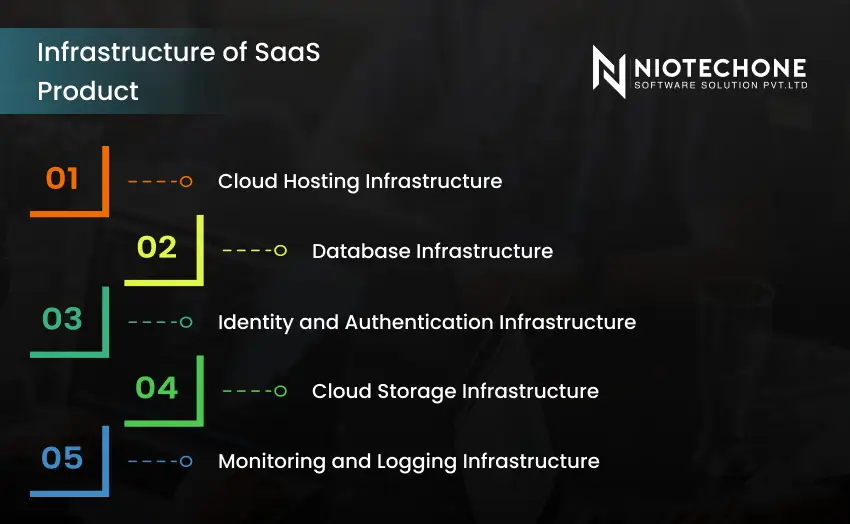
Infrastructure of SaaS Product
It’s necessary to have a good infrastructure in order to build scalable and secure SaaS solutions. Microsoft Azure offers cloud-based services for making the development of SaaS easier.
1. Cloud Hosting Infrastructure
Services like Azure App Services and Azure Virtual Machines are useful for SaaS scalability and hosting. They allow developers to scale applications automatically.
2. Database Infrastructure
To store data related to customers, subscriptions, and applications of a SaaS software, an efficient and scalable database is required. Some of the common options available on the Azure platform for building databases are Azure SQL Database, Azure Cosmos DB, and Azure Database for PostgreSQL.
3. Identity and Authentication Infrastructure
Secure authentication and authorization features are necessary for current SaaS applications. The Azure service provides security for user access and facilitates efficient multi-tenant authentication.
4. Cloud Storage Infrastructure
Cloud storage management is required to facilitate the management of files, media, backup, and log data. The Azure storage management solution enables this.
5. Monitoring and Logging Infrastructure
Monitoring software can help monitor the status regarding health, performance, and security violations in the application. This is possible through Azure Monitor and Azure Log Analytics.
Core Features of the SaaS Product on AWS
SaaS products also connect with AWS services for creating a hybrid cloud. The following are some key features of SaaS products available on AWS infrastructure.
1. Multi-Tenant Architecture
Multi-tenant architecture provides the ability for many clients to run an application without compromising on data isolation and security. This type of architecture enhances scalability and reduces operation cost.
2. Cloud Scalability
Resources of cloud native SaaS applications auto-scale depending on traffic demands. Auto scaling of AWS and Azure assists to make sure that the application performs well during times of high load.
3. Data Security & Compliance
All SaaS products require data security. There are three parts of data security that are Data encryption, Role-based access control, and Secure APIs.
4. Real-Time Communication
Features of real-time include notifications, messaging applications, and dashboarding solutions to facilitate effective communication. An instance of a real-time communication software solution includes ASP.NET Core SignalR.
5. Subscription and Billing Management
SaaS applications require subscription plans, recurring billing, and payment gateway integration. Cloud infrastructure helps automate billing workflows and customer account management.
Steps to Creating a SaaS Product with .NET and Azure
The development of an efficient SaaS application involves an effective planning process.
Step 1: Identify the Business Needs
Determine the type of end users, features required, pricing models, and scalability of the application to be developed.
Step 2: Selection of Appropriate Architecture
Select suitable architecture, such as microservice architecture and multi-tenant architecture, which improves efficiency.
Step 3: Develop Back-end Services Using ASP.NET Core
Develop secure and fast back-end services with ASP.NET Core.
C#
builder.Services.AddControllers();
app.MapControllers();
Step 4: Implementation of Authentication and Authorization
Authentication techniques such as JWT and OAuth secure SaaS applications from any unauthorized usage.
Step 5: Configuration of Azure Database Services
Highly scalable Azure databases ensure dependable data storage options for SaaS application development.
Step 6: Deployment Application on Azure
Deployment in Azure is a method that helps you host, scale, and manage your applications in the cloud.
Step 7: Configuration Up Monitoring and Logging
Tools used in monitoring help you monitor your application’s performance and errors.
Step 8: Establishing CI/CD Pipelines
CI/CD pipelines help automate your testing and deployment processes.
Read More: The Hidden Risks of SaaS
Implementation Overview of .NET Core and AWS
Some companies employ both Azure and AWS within their hybrid cloud approach. ASP.NET Core-based applications will also find benefit in using AWS for more scalability and infrastructure choices.
Key Implementation Strategies
Application Hosting: Application hosting is possible through AWS EC2 and a Kubernetes cluster.
Containerization: Using Docker containers ensures consistency while deploying the application in the cloud environment.
Distributed Caching: The SaaS application can be made faster using distributed caching.
DevOps Tools: Various DevOps tools, such as Azure DevOps and AWS DevOps, support testing and deployment of the application.
Benefits of Building SaaS Apps via .NET and Azure
Building SaaS apps via ASP.NET Core and Azure provides several benefits:
- Development of SaaS applications with .NET and Azure is made easier by offering scalability, security, and highly performant cloud-based app development.
- They provide performance and reliability for the modern cloud-native apps.
- Azure gives reliable cloud infrastructure, automatic scaling, and the latest deployment options for the SaaS platforms.
- They make development, security, and faster delivery of SaaS applications possible.
- They simplify deployment and automation through CI/CD and DevOps integration.
Conclusion
The use of ASP.NET Core for the development of SaaS applications with the help of Microsoft Azure is helpful for organizations to build their apps securely and scale effectively into the cloud environment. Cloud computing company in india provided by Azure will help make it easier to deploy, manage, and store, and ASP.NET Core provides an excellent platform to develop applications. With these tools, organizations can build advanced SaaS applications.
Categories
Related Articles

Related Tags
Frequently Asked Questions FAQs
ASP.NET Core provides high performance, scalability, cross-platform support, and secure API development for modern SaaS applications.
Microsoft Azure offers cloud hosting, database services, monitoring tools, security, and automated scaling for SaaS platforms.
Multi-tenant architecture allows multiple customers to use the same application while keeping their data secure and isolated.
Azure SQL Database, Azure Cosmos DB, and Azure Database for PostgreSQL are widely used for scalable SaaS data management.
CI/CD pipelines automate testing and deployment, helping developers release updates faster and reduce deployment errors.