How to Build Cross-Platform Desktop Apps with .NET MAUI

Introduction

The current trend in the world of businesses has shifted towards cross-platform application software, which can easily work on Windows, Mac OS, and Android platforms. Companies do not use different applications for different platforms because it is costly and time-consuming for them. 

In today’s world, AI desktop applications development can also be considered an option, as it involves the use of AI assistants, intelligent automation, OpenAI chat solutions, and other features in such apps, developed via .NET MAUI. .NET MAUI (Multi-platform App UI) is a new cross-platform development technology introduced by Microsoft.

Read More: .NET MAUI 10 vs Flutter: Performance & Features 2026

How to Build Desktop Apps with .NET MAUI

What is .NET MAUI?

.NET MAUI is an acronym for Multi-platform App UI. It is Microsoft’s latest framework for creating native applications using C# and .NET on multiple platforms such as Windows, macOS, and Linux. .NET MAUI is the replacement for Xamarin.Forms.

Unlike traditional desktop application development frameworks, .NET MAUI does not necessitate writing different applications for different platforms. .NET MAUI is particularly helpful for modern organizations creating:

  • Enterprise desktop software
  • Productivity tools
  • SaaS Desktop Platforms
  • AI-powered business applications

Why .NET MAUI Is Important for Desktop Apps in 2026

Cloud-native applications

Cloud computing and web-based application services are used by more and more applications today. .NET MAUI is fully compatible with Azure, ASP.NET Core APIs, and other cloud technologies.

Cross-platform development

Programmers are now able to develop cross-platform apps that run across different platforms, including Windows, macOS, Android, and iOS, by virtue of using the .NET MAUI.

Modern UI development

With the .NET MAUI framework, developers can design modern UI components that look good and provide a great experience for the user on all targeted platforms.

Faster deployment cycles

.NET MAUI application development offers simple integration with REST APIs, ASP.NET Core services, databases, and messaging technologies, thus helping enterprises build connected enterprise applications.

Organizations located in technological hotspots such as New York, London, India, and Dubai are leveraging .NET MAUI in modernizing legacy desktop applications and developing enterprise applications.

Cloud API integration

Due to a unified development platform and one codebase, developers can push out multiple-platform updates quickly, making it possible to deliver software more efficiently.

Read More: .NET MAUI Is Changing Cross-Platform Development

How to Build Desktop Apps with .NET MAUI

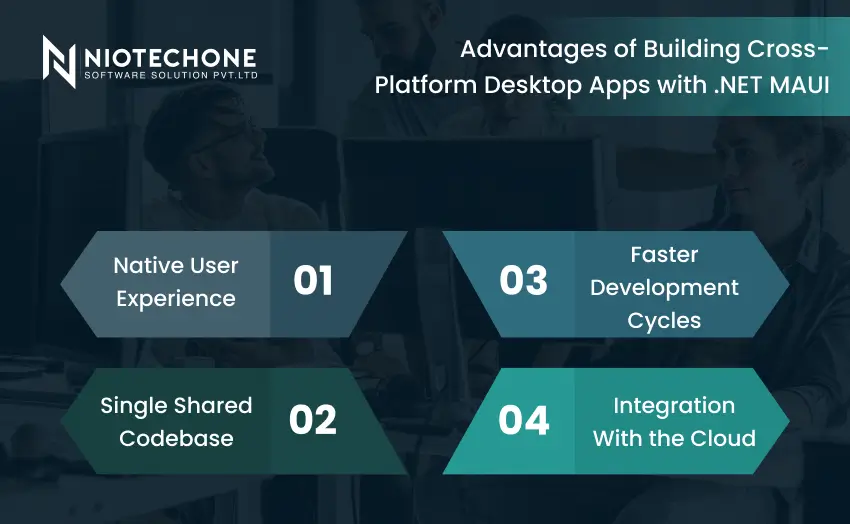
Advantages of Building Cross-Platform Desktop Apps with .NET MAUI

Native User Experience

.NET MAUI applications provide native platform experiences. This means that applications will appear to work and feel natural in each operating system while sharing common code between applications. This results in increased speed, more responsive controls, performance efficiency, and consistent user interface behavior.

Single Shared Codebase

The advantage of the use of the .NET MAUI framework is that it does not require developers to create separate versions of the same application for each platform due to the use of a single codebase approach.

Faster Development Cycles

Since developers can reuse code between platforms, they can develop applications and release updates very quickly. This can prove to be extremely helpful to startups, SaaS organizations, and agile teams.

Integration With the Cloud

With the increasing trend toward cloud connectivity in today’s desktop applications, .NET MAUI can effectively work alongside ASP.NET Core, Azure, Cloud storage, and Microservices.

Real-World Use Cases of .NET MAUI

Enterprise Business Applications

Companies use .NET MAUI to build enterprise software such as CRM systems, ERP platforms, employee management systems, and business dashboards that work across multiple operating systems with a shared codebase. 

Impact of Using .NET MAUI

  • Increased scalability for handling big enterprise applications
  • Creates a flawless user experience across all platforms

Desktop Apps with AI Integration

Firms have created applications for their desktops that combine .NET MAUI with various AI components, like OpenAI, chatbots, predictive analytics, and automation functionalities.

Impact of Using .NET MAUI

  • Improves productivity through automation of jobs
  • Enables data-driven decision-making using artificial intelligence

SaaS Desktop Platforms

Modern SaaS companies use .NET MAUI to create subscription-based desktop applications connected with cloud services and real-time APIs. 

Impact of Using .NET MAUI

  • Supports scalable multi-user environments
  • Improves software deployment speed

Financial and Banking Applications

Banks and financial institutions build secure desktop applications for reporting, analytics, transaction management, and financial operations using .NET MAUI. 

Impact of Using .NET MAUI

  • Enhances enterprise-level security
  • Supports high-performance financial systems

Best Practices for Building .NET MAUI Applications

Safe Integration of AI: Developers need to make sure that their API keys remain safe while using secure means of authentication and encryption during the implementation of OpenAI Development in india in MAUI applications.

Follow Clean Architecture: The principle behind clean architecture is that business logic, database access, and user interface are separated from each other. This makes the software easier to maintain.

Use MVVM Pattern: The Model-View-ViewModel pattern is utilized to separate the User Interface and the business logic to make sure that they are not hard to maintain and test.  

Natural Behavior: An application should show natural behavior across all platforms through the use of native design in terms of usability.

Efficient Performance: It is necessary to optimize an application for rendering, memory, and other features to ensure that it does not lag.

Future of .NET MAUI

.NET MAUI is one of the technologies that Microsoft is considering to be among the most important for building applications currently. The future development of desktop applications will use:

Cross-platform development: Create cross-platform applications using a single code base.

Microsoft support: Continuous improvement of features by Microsoft for .NET MAUI.

Development of Cloud-native apps: Cloud-native applications with easy cloud API integrations.

Increased performance: Increased performance and reduced size due to Native AOT. 

Enterprise security: Supports secure authentication and API protection. 

Future-oriented technology: MAUI as an essential technology for future desktop apps.

Conclusion

The advent of AI-powered desktop applications is making .NET MAUI increasingly relevant as a platform for developing modern, scalable business applications. With native performance, cloud APIs support, modern UI, and AI development support, .NET MAUI can help companies save on their development budgets while increasing their deployment speed and providing consistent experiences across different platforms.

Considering how Microsoft is investing in cloud-native solutions, Native AOT server support, enterprise-level security, and AI, the prospects of .NET MAUI seem very bright indeed.

Frequently Asked Questions FAQs

.NET MAUI is Microsoft’s cross-platform framework for building desktop and mobile applications using a single shared codebase with .NET and C#. 

.NET MAUI supports Windows, macOS, Android, and iOS application development. 

.NET MAUI simplifies cross-platform development, reduces maintenance costs, and supports cloud-native and AI-powered applications. 

Yes, .NET MAUI is ideal for enterprise applications because it supports scalability, cloud integration, modern UI development, and enterprise-level security.  

A shared codebase reduces duplicate development effort, speeds up deployment, simplifies maintenance, and improves consistency across platforms.