By 2026, serverless will have evolved immensely. At Niotechone Software Solution Pvt. Ltd., we are the best ASP.NET developers and have helped hundreds of clients save 60-80% on their infrastructure costs by adopting serverless architecture. Microsoft has recently made Azure Functions capable of supporting .NET 9 and .NET 10 previews with reduced cold starts, AOT compilation, and enhanced Visual Studio tools.
As a top ASP.NET development company, you can leverage the power of Azure Functions with .NET. Azure Functions can scale to zero, which means you do not pay for any idle VMs!
Azure Functions is Microsoft’s serverless compute platform that executes a small piece of code when a specific event occurs. You will only consider actual execution and not idle instances.
For a .NET development company, this is transformative. Your existing C# skills transfer directly. Azure Functions support:
As a company in ASP.NET development, we often substitute heavy Web API implementations with functions triggered via HTTP requests.
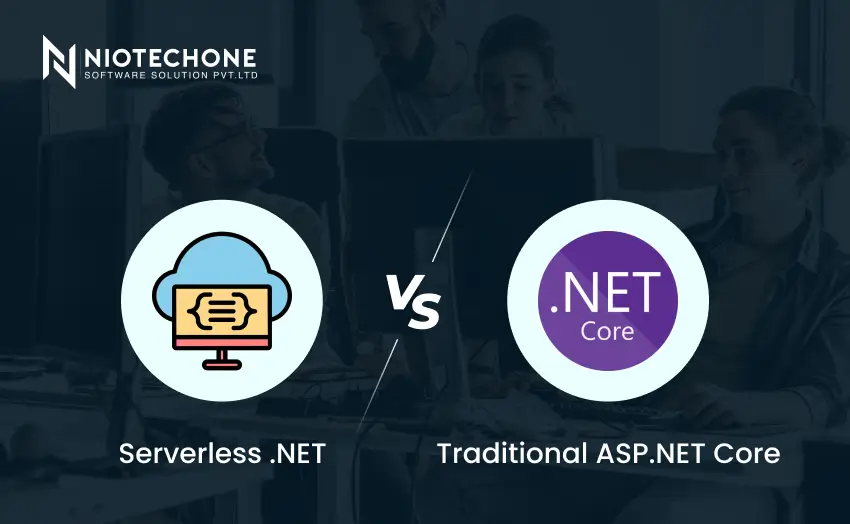
Feature | Traditional ASP.NET Core | Azure Functions (Serverless) |
Hosting | Always-on VM or container | Event-driven, scales to zero |
Cost | Pay for uptime (24/7) | Charge-per-execution and GB-seconds |
Cold start | Never | The first call may take a couple of seconds |
Best for | APIs, websites, and real-time | Batch processing, webhooks, events handling |
We’ll create an “Order Confirmation” function triggered when a message arrives at a Queue.
Prerequisites
Step-1: Create the Project
Open a terminal and run:
mkdir Niotechone.ServerlessDemo
cd Niotechone.ServerlessDemo
dotnet new func --name OrderProcessor --worker isolated
cd OrderProcessor
The –worker-isolated flag enables isolation process mode (best option for .NET 9+)
Step-2: Add a Queue Trigger Function
Create a new file ProcessOrderFunction.cs:
using Microsoft.Azure.Functions.Worker;
using Microsoft.Extensions.Logging;
namespace Niotechone.ServerlessDemo.OrderProcessor;
public class ProcessOrderFunction
{
private readonly ILogger _logger;
public ProcessOrderFunction(ILogger logger)
{
_logger = logger;
}
[Function(nameof(ProcessOrder))]
public void ProcessOrder(
[QueueTrigger("orders", Connection = "AzureWebJobsStorage")] OrderMessage message)
{
_logger.LogInformation($"Processing order {message.OrderId} for customer {message.CustomerEmail}");
// Simulate business logic
// In production, call your existing .NET business layer here
_logger.LogInformation($"Order {message.OrderId} processed successfully");
}
}
public class OrderMessage
{
public string OrderId { get; set; } = string.Empty;
public string CustomerEmail { get; set; } = string.Empty;
public decimal Amount { get; set; }
}
Step-3: Configure Local Settings
Update local.settings.json:
{"IsEncrypted":false,"Values":{"AzureWebJobsStorage":"UseDevelopmentStorage=true","FUNCTIONS_WORKER_RUNTIME":"dotnet-isolated"}}
Step-4: Run Locally
dotnet build
func start
You should see:
Functions:
ProcessOrderFunction: queueTrigger
Step-5: Deploy to Azure
az login
func azure functionapp publish NiotechoneOrderProcessor --dotnet-version 9.0
A pro tip: To minimize a cold-start latency, enable Native AOT for your .NET 9 Functions.
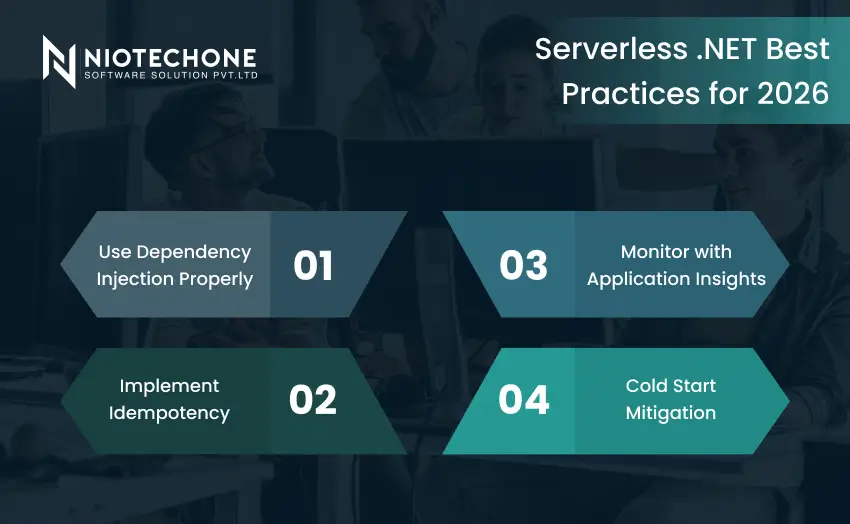
Being a .NET application development company, Niotechone adheres to the following principles for serverless production workloads:
1) Use Dependency Injection Properly
Azure Functions (.NET Isolated) offers the same DI patterns that ASP.NET Core supports:
// Program.cs
var host = new HostBuilder()
.ConfigureFunctionsWorkerDefaults()
.ConfigureServices(services =>
{
services.AddScoped();
services.AddHttpClient();
})
.Build();
host.Run();
2) Implement Idempotency
Queue trigger events may send duplicate messages. Ensure that your functions are idempotent:
// Check if already processed
if (await _orderRepository.ExistsAsync(message.OrderId))
{
_logger.LogWarning("Order {OrderId} already processed, skipping", message.OrderId);
return;
}
3) Monitor with Application Insights
Azure Functions integrates seamlessly with Application Insights for distributed tracing, logging, and performance monitoring. Enable it for production applications.
4) Cold Start Mitigation
Below is how Niotechone Software Solution Pvt. Ltd. enables clients to implement serverless .NET applications through Azure Functions:
Industry | Use Case | Trigger |
E-commerce | Emails for order confirmation after checkout | Queue (Service Bus) |
Healthcare | Image resizing for doctors’ uploaded pictures | Blob Storage trigger |
Fintech | End-of-day reconciliation reports | Timer (CRON) |
Logistics | Update tracking status from IoT devices | Event Grid |
SaaS | Handler for webhook notifications from external applications | HTTP trigger |
Employing developers from Niotechone ensures your team knows these serverless patterns.
Being among the most reputable .NET developers, we’ve successfully transformed many ASP.NET applications into serverless solutions already. Here is why:
“We have turned to Niotechone’s ASP.NET development services to migrate our batch processes to Azure Functions. This way, our monthly bill of
2,500 to under
2,500 to 400.” – CTO of a logistics startup.
Run functions triggered via queues on your local machine by means of Azurite (Azure storage emulator). Unit testing:
[Test]
public async Task ProcessOrder_Should_Log_OrderId()
{
// Arrange
var logger = Mock.Of<ILogger>();
var function = new ProcessOrderFunction(logger);
var message = new OrderMessage { OrderId = "TEST-123", CustomerEmail = "test@example.com" };
// Act
function.ProcessOrder(message);
// Assert - verify logger received expected message
// (using your preferred mocking library)
}
In 2026, serverless .NET with Azure Functions has come of age as a reliable, scalable, and cost-efficient platform for event-driven scenarios. We are proud to be the most professional ASP.NET and .NET Core development company that offers efficient ASP.NET and .NET Core development by leveraging Azure Functions. With our expertise in ASP.NET development and serverless architectures, we help our customers to significantly speed up their time-to-market. Contact Niotechone Software Solution Pvt. Ltd. to get started!
No. For user-facing APIs with consistent traffic, use ASP.NET Core on App Service or Kubernetes. Azure Functions excel at sporadic or bursty workloads.
Yes, dramatically. With Native AOT compilation, cold starts go from 1-2 seconds to under 50ms. As a .NET application development company, we enable AOT for all production functions.
Yes, but carefully. Use EF Core for read operations with data caching. For writes, consider Dapper or direct Cosmos DB bindings to avoid connection pool exhaustion.
Consumption (pay per execution, scales to zero). Premium (always-warm instances, VNet integration, longer timeout). Choose Premium for latency-sensitive workloads.
Azure Key Vault + Managed Identity. Never store connection strings in local.settings.json for production. We inject secrets via Key Vault references in Application Settings.
3rd Floor, Aval Complex, University Road, above Balaji Super Market, Panchayat Nagar Chowk, Indira Circle, Rajkot, Gujarat 360005.
Abbotsford, BC
15th B Street 103, al Otaiba Dubai DU 00000, United Arab Emirates
3rd Floor, Aval Complex, University Road, above Balaji Super Market, Panchayat Nagar Chowk, Indira Circle, Rajkot, Gujarat 360005.
Abbotsford, BC.
15th B Street 103, al Otaiba Dubai DU 00000, United Arab Emirates.
Copyright © 2026 Niotechone Software Solution Pvt. Ltd. All Rights Reserved.