How to Improve ASP.NET Core Application Performance

Introduction

ASP.NET Core is a cross-platform, modern framework that is used to build fast and scalable web applications. However, with the increasing size and complexity of applications, performance issues tend to emerge. Optimizing your ASP.NET Core application guarantees faster response time, enhanced scalability, and enhanced user satisfaction.

This guide discusses the importance of performance optimization, gives a step-by-step real-world example, and provides best practices to help you create efficient and reliable applications.

Developer working on multiple screens optimizing ASP.NET Core application performance with code and monitoring tools.

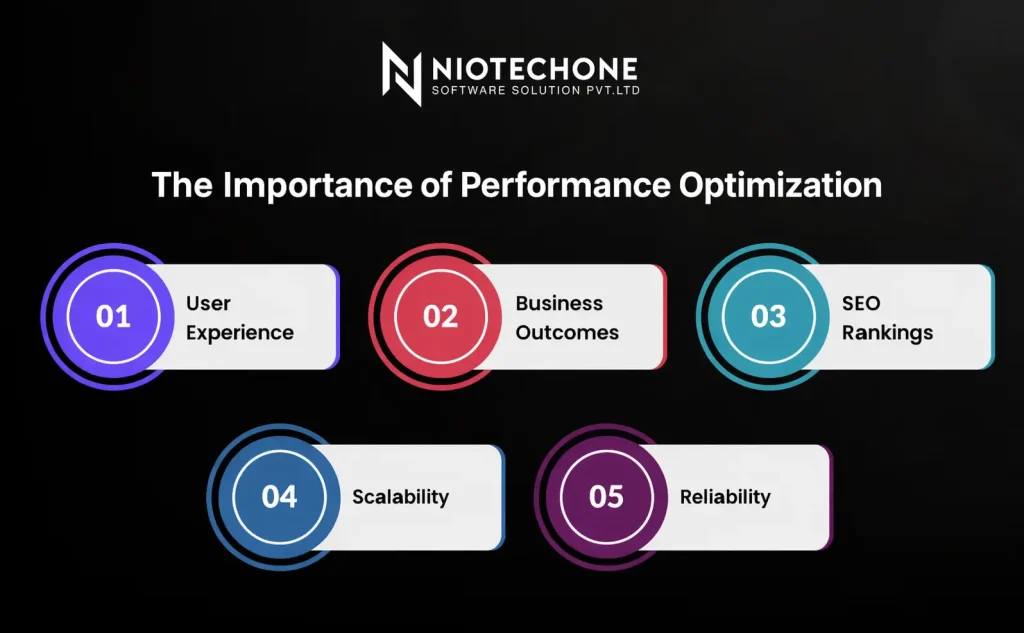
The Importance of Performance Optimization

Performance optimization is more than just speeding up page loads—it directly impacts user experience, business success, and search engine rankings.

The following are the key reasons why it matters:

User Experience: The user wants the application to be responsive. They can be frustrated by even a slight delay, and bounce rates can increase.

Business Outcomes: Slow applications lead to cart abandonment, decreased conversions, and lost revenue. Streamlined applications enhance customer loyalty and retention.

SEO Rankings: Google considers page speed as a ranking factor. The quicker the application, the higher it is likely to be ranked in the search results.

Scalability: Optimized applications can support more users using fewer resources, lowering infrastructure costs.

Reliability: Performance tuning eliminates bottlenecks and downtime, and provides stability in peak traffic.

In short, performance optimization is not a optional but a business requirement that will guarantee your application provides consistent value.

Diagram showing ASP.NET Core security practices such as authentication, API security, attack protection, secret management, and input validation

Key Strategies to Boost ASP.NET Core Performance

Improving performance in ASP.NET Core applications needs both backend and frontend optimization. The following are the best strategies:

1) Use Asynchronous Programming  

Implement async and await to handle multiple requests without blocking threads.

đź”·
public async Task GetData()
{
    var data = await _service.GetDataAsync();
    return Ok(data);
}

2) Enable Response Caching  

Cache frequently requested responses to reduce server load.

đź”·
[ResponseCache(Duration = 60)]
public IActionResult Get()
{
    return Ok("Cached response");
}

3) Optimize Database Queries  

Avoid inefficient queries, use AsNoTracking() for read-only operations, and apply proper indexing.

4) Manage Dependency Injection Correctly  

Register services with the correct lifetimes (Scoped, Transient, Singleton) to prevent memory leaks.

5) Enable Compression  

Reduce payload size with Gzip or Brotli compression.

đź”·
app.UseResponseCompression();

6) Implement Logging and Monitoring  

Use tools like Serilog or Application Insights to track performance metrics and detect bottlenecks.

7) Use CDN for Static Files  

Deliver images, CSS, and JavaScript via a Content Delivery Network (CDN) to decrease server load and enhance performance worldwide.

8) Optimize Middleware Pipeline  

Only necessary middleware should be kept in the pipeline to reduce overhead.

9) Apply Multi-Level Caching  

Use in-memory caching for small datasets, distributed caching for larger applications, and output caching for static responses.

10) Offload Heavy Tasks  

Background services with IHostedService or Hangfire can be used to move long-running tasks, like sending emails or creating reports.

11) Improve Frontend Performance  

Minimize CSS and JavaScript, lazy load images, and minimize unnecessary HTTP requests.

12) Keep ASP.NET Core Updated  

Regularly upgrade to the latest stable version to benefit from performance improvements and security fixes.

These are the strategies that are popular among major ASP.NET Development companies and providers of .NET development services to make applications fast and scalable.


Real-World Example: E-Commerce Application

An e-commerce platform built with ASP.NET Core is a perfect case to understand how performance optimization impacts both user experience and business outcomes.

Challenges Faced

  • The search for products was taking 5-6 seconds to load.
  • There were delays in checkout processes when making payment gateway calls.
  • International users had a slow loading of product images.


Impact

These problems resulted in:

  • Customers are abandoning carts due to frustration.
  • Reduced SEO ranking due to slow response time by search engines.
  • Loss of revenue and reduced brand credibility.


Optimizations Applied

  • Caching Product Listings: Frequently accessed product listings were cached, which reduces the number of database calls.
  • Async Programming Payments: Payments were done asynchronously, which made the checkout process smoother.
  • CDN of Images: product images were hosted on a Content Delivery Network, which improves the load times worldwide.
  • Database Optimization: Indexing was done properly to accelerate product searches.


Results Achieved

  • The time taken to load pages was reduced to less than 1 second.
  • The rate of checkout improved significantly.
  • The platform scales to support thousands of simultaneous users during festive sales.


This example clearly shows how performance optimization in ASP.NET Core can directly translate into business growth, customer satisfaction, and stronger SEO rankings.

Best Practices Checklist

1. Async/Await can be used to improve scalability by processing multiple requests efficiently.

2. Optimize Database Queries by using unnecessary joins, indexes, and AsNoTracking() for read-only queries.

3. Allow Caching on various levels based on application size and requirements.

4. Turn on Gzip or Brotli Compression to reduce payload size.

5. Use Static Files to offload images, CSS, and JS to deliver faster.

6. Use Monitoring Tools such as Serilog or Application Insights to identify bottlenecks early.

7. Streamline the Middleware Pipeline by retaining only necessary middleware.

8. Background services to offload heavy tasks like emails, reports, or notifications.

9. Improve Frontend Performance by minifying CSS/JS, using lazy loading, and reducing HTTP requests.

10. Keep ASP.NET Core Updated to take advantage of the new performance and security enhancements.

This checklist will make sure that your application is not only fast but also reliable, scalable, and future-proof.

Conclusion

Performance optimization in ASP.NET Core is an ongoing process. With the knowledge of why it matters, practical strategies, and best practices, you can create applications that are fast, scalable, and user-friendly. Each millisecond saved enhances user confidence, search engine performance, and business performance.

Frequently Asked Questions FAQs

Because it improves user experience, SEO rankings, and scalability while reducing costs.

Database queries and inefficient caching are common culprits.

Use distributed caching, async programming, and load balancing strategies.

Yes, both work together. A fast backend with a heavy frontend still feels slow.

Regularly—especially after new feature releases or traffic spikes.