.NET 10 vs Legacy: Migration Guide 2026

Introduction

In today’s rapidly growing digital arena, businesses require applications that can be delivered fast, securely, and scalably. Many organizations are still using old applications that were reliable in the past, but now cannot cope with the current demands. With the arrival of .NET 10, businesses can now upgrade their applications and keep up with the competition.

It does not matter if you are working with a .NET development company or hiring .NET developers. It is important to understand the migration process. This guide will help you understand the differences between .NET 10 and old applications.

What is .NET 10 overview showing modern .NET platform features for high performance cloud and AI applications

What is .NET 10?

.NET 10 represents the latest release of Microsoft’s modern software development platform. It enables developers to build high-performance web, mobile, desktop, and cloud applications.

Unlike previous versions, the .NET 10 framework supports cross-platform development. Developers can build and run applications on Windows, Linux, and macOS with ease. This flexibility makes it an ideal choice for any Microsoft .NET development company that delivers modern software solutions.

The other interesting aspect of the .NET 10 framework is its performance capabilities. The software applications created with the help of the framework are more efficient and better than the previous versions of software applications.

What Are Legacy .NET Systems?

Legacy .NET systems rely on older technologies like .NET Framework 4.x or classic ASP.NET. These systems still function, but they struggle to meet modern requirements.

Developers find these applications harder to maintain and scale over time. As a result, companies face performance issues and rising operational costs.

Here are some common limitations:

  • Applications struggle to scale efficiently
  • Modern tools often fail to integrate smoothly
  • Maintenance costs continue to rise
  • Security risks increase over time
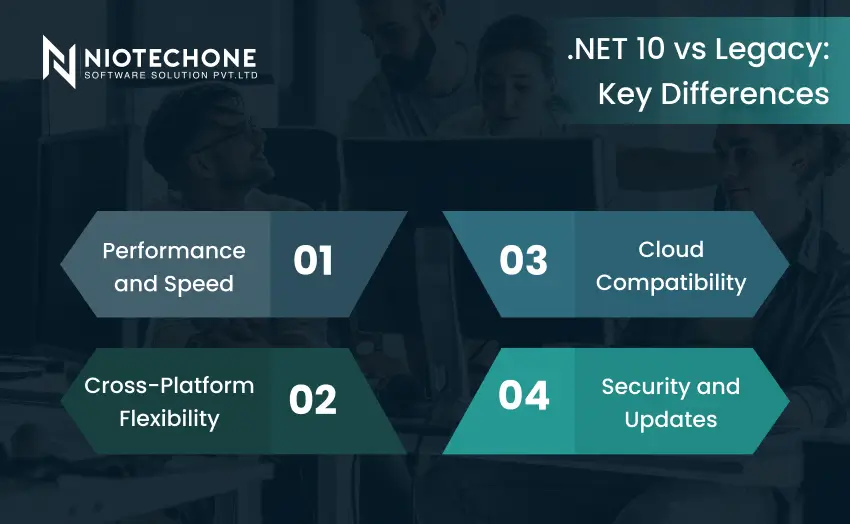
Comparison of .NET 10 vs legacy systems showing performance speed cross platform flexibility cloud compatibility and security improvements

.NET 10 vs Legacy: Key Differences

Knowledge of the distinction between modern and legacy systems assists businesses in making superior decisions.

Performance and Speed

.NET 10 is speedy and efficient. It is capable of supporting additional users and bigger workloads without performance problems. However, legacy systems can be sluggish when there is a lot of traffic.

For example, an e-commerce site created with legacy technology might fail when sales are at their highest, whereas a new application created with ASP.NET Core development services can handle traffic without issues.

Cross-Platform Flexibility

Older systems are largely restricted to Windows. Conversely, .NET 10 enables applications to be executed on various platforms. This simplifies the process of business expansion and lessens infrastructure reliance.

Cloud Compatibility

The cloud is becoming more popular in modern applications. .NET 10 is cloud-native and compatible with modern architectures.

A trusted .NET Core development company can assist companies in migrating applications and fully utilizing cloud environments.

Security and Updates

In 2026, security is a key consideration. .NET 10 has more current security features and updates, which make it more reliable. The old systems can put businesses at risk because of the old parts.

Why Businesses Should Migrate to .NET 10

Migration involves more than just updating technology. It improves overall business performance. A modern application delivers a better user experience, reduces maintenance costs, and scales more efficiently.

Key benefits include:

  • Applications run faster and perform better
  • Users enjoy a smoother and more engaging experience
  • Businesses reduce long-term operational costs
  • Systems stay more secure against modern threats
  • Teams can adopt and integrate modern technologies easily

Companies that have an ASP.NET Core development company or professional .NET development services can be assured of a smooth and efficient migration.

When Should You Consider Migration?

Not all applications require urgent migration, but there are some indicators that it is time to upgrade. When your system is slow, hard to maintain, or cannot scale, it might be dragging your business down.

Businesses intending to migrate to the cloud or increase their digital footprint also find migration important.

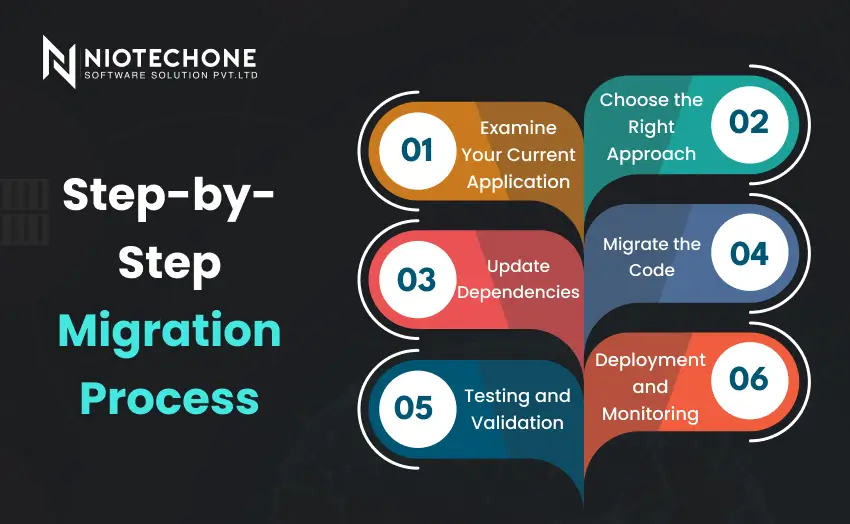
Step by step migration process for .NET 10 including application assessment code migration testing deployment and monitoring

Step-by-Step Migration Process

The process of migrating to .NET 10 is easier when done in stages.

1. Examine Your Current Application

Begin by knowing your existing system. Determine the technologies, dependencies, and important features. This assists in the planning of the migration.

2. Choose the Right Approach

Various strategies can be used:

  • Rehosting, in which the application is relocated with a few modifications
  • Refactoring, in which certain sections are enhanced
  • Rebuilding, in which the application is built afresh


The correct option will be based on your business objectives and the complexity of the application.

3. Update Dependencies

Old libraries are frequently used in legacy applications. These should be substituted with newer versions that are compatible with .NET 10.

4. Migrate the Code

This is done by updating the application to support the new framework. Most companies upgrade their old applications to new ones with the help of an ASP.NET development company.

5. Testing and Validation

Testing is done to make sure that the application is functioning properly after migration. It involves performance testing, functionality testing, and security testing.

6. Deployment and Monitoring

Once tested, the application is rolled out to production. Constant monitoring assists in sustaining performance and promptly addressing problems.


Real-World Example

A retail company operated its online platform on an outdated system. As the business expanded, the application started to face performance issues during peak traffic periods.

With the help of a .NET application development company, the team upgraded the system and significantly reduced load times while improving overall stability. As a result, customers experienced smoother interactions, which led to higher satisfaction and increased sales.

Best Practices for Successful Migration

To ensure a smooth transition, it is important to follow a structured approach:

  • Migrate a smaller module and then the entire system
  • Always have backups to prevent loss of data
  • Train your development team
  • Measure post-deployment performance
  • Outsource professional .NET development services

Conclusion

Migrating old systems to .NET 10 provides a strategic opportunity for businesses to enhance application performance and security. Although this process can take time, businesses gain faster applications and lower long-term costs.

Thus, companies can use the appropriate migration method and collaborate with the appropriate professionals to make sure that their applications are created with the help of the new .NET 10, which can address the requirements of the new digital era.

Frequently Asked Questions FAQs

The biggest advantage is improved performance, better security, and cross-platform support.

Yes, you can use approaches like rehosting or refactoring instead of rebuilding everything.

Yes, it is highly scalable and supports modern development needs.

It depends on the complexity of the application and can take from weeks to months.

It requires an initial investment but reduces long-term maintenance costs.