Day 5 - HTML - Media (Video & Audio)

Learning Objectives (Before the Tutorial)

At the end of this tutorial, you’ll be able to:

  • Embed video and audio files in an HTML page.
  • Describe how media elements function.
  • Make use of controls, autoplay, loop, and muted attributes.
  • Provide multiple file sources to improve compatibility.
  • Style the video and audio players with CSS.

Concept Box – Why This Matters

  • Using media elements like videos or audios adds interactivity and engagement to your web pages. 
  • They can be used in tutorials, background music, product demos, and more.
  • Knowing how to incorporate and control media elements allows you to create more robust web experiences.

HTML Video

  • The <video> tag is for embedding a video file in a web page.
  • You can use the attribute controls to allow the user to play, pause, and change the volume.


Basic Example:

🌐
<video width="400" controls>
  <source src="movie.mp4" type="video/mp4">
  <source src="movie.ogg" type="video/ogg">
  Your browser does not support the video tag.
</video>

Explanation:

  • The <source> elements offer different formats for compatibility.
  • If the browser is not able to support <video> , it generates fallback text.


Common Attributes

  • controls – Allows play, pause, and volume control.
  • autoplay – To play automatically.
  • loop –  Repeats the video after it ends.
  • muted – To play without sound.
  • poster – Displays an image before the video starts.


Styling Video with CSS

You can style the video so that it would match your page,

for example:

🌐
<style>
video {
  border: 3px solid #444;
  border-radius: 10px;
  width: 100%;
  max-width: 500px;
}
</style>

<video controls poster="poster.jpg">
  <source src="sample.mp4" type="video/mp4">
</video>

Quick Recap

  • The  <video> tag allows you to show videos directly in your webpage.
  • You can consider using multiple formats (MP4/OGG) to create more browser compatibility.

HTML Audio

The <audio> tag is used to embed sound files, such as music or podcasts.

Basic Example:

🌐
<audio controls>
  <source src="sound.mp3" type="audio/mpeg">
  <source src="sound.ogg" type="audio/ogg">
  Your browser does not support the audio element.
</audio>

Common Attributes

  • controls – Provides play and volume control.
  • autoplay – Starts automatically.
  • loop – Plays again and again.
  • muted – Starts muted.


Styling Audio with CSS

Although browsers provide default controls, you can style the container/background.

🌐
<style>
audio {
  width: 300px;
  background-color: #f5f5f5;
  border-radius: 8px;
}
</style>

Quick Overview  

The <audio> tag is a great way to integrate sound or music into a website.  

For maximum compatibility, always use formats such as MP3 and OGG.

Common Mistakes

  • Forgetting to include the controls attribute, making it impossible for users to play anything.  
  • Embedding files in a format that is not supported.  
  • Not providing a fallback text that might help out browsers that do not support the format.  
  • Using autoplay, along with sound, will only frustrate your users!   

Mini Practice Challenges

  • Create a video player that includes controls, autoplay, and a poster image.   
  • Include two different audio file types that have controls and loop.    
  • Style the audio and video elements with borders and rounded corners. 

What You Learned

  • How to implement the <video> and <audio> tag in HTML.  
  • Understand how to add multiple sources to your video and audio components, as well as a fallback content to the tags.   
  • How to style your video and audio components with CSS.  
  • Common attributes of the HTML <video> and <audio> tags, as well as standards and techniques for web compatibility.

LeetCode & Practice References

Output

Example 1 — Basic Video Player

🌐
<video width="400" controls>
  <source src="movie.mp4" type="video/mp4">
  <source src="movie.ogg" type="video/ogg">
</video> 

Output:

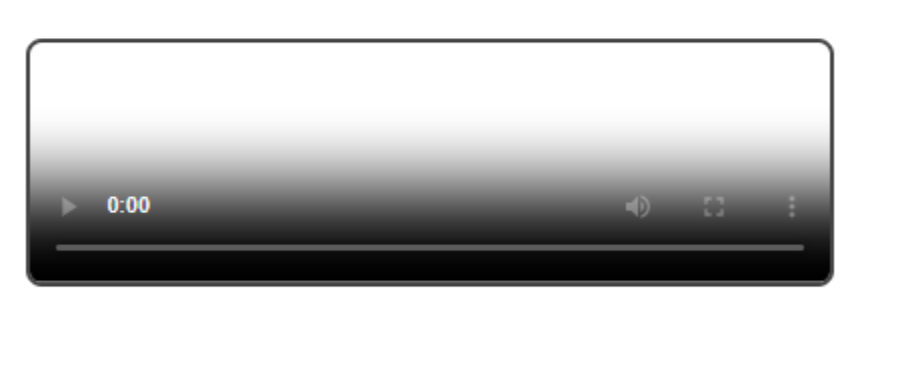
Basic HTML5 video player with controls and poster image

Example 2 — Styled Video with Poster

🌐
<style>
video {
  border: 3px solid #444;
  border-radius: 10px;
  width: 100%;
  max-width: 500px;
}
</style>

<video controls poster="poster.jpg">
  <source src="sample.mp4" type="video/mp4">
  <source src="sample.ogg" type="video/ogg">
</video>

Output:

HTML5 video player with custom CSS styling and poster image

Frequently Asked Questions FAQs

Different web browsers support different technical data formats. It is good to include an MP4 version, and an OGG version if you wish to be as compatible as possible. 

Yes, you can add subtitles using the <track>  tag inside the <video>  tag.

Autoplay should only be used if the video is muted—the majority of web browsers do not support autoplay if sound is included.  

Use CSS to set the video width to a percentage (e.g., width: 100%) and set a max-width if needed. This ensures the video scales properly across desktops, tablets, and mobile screens.

HTML <audio> only plays one track at a time. To offer multiple tracks, you can use JavaScript to switch sources dynamically or provide multiple <audio> elements for users to choose from.