Being an established Microsoft .NET development company, we have seen architectural styles come and go. But none comes close to Clean Architecture for creating enterprise-level web applications. In 2026, with .NET 9 and .NET 10 previews coming soon, isolating business logic from infrastructure isn’t a choice; it’s mandatory.
If you’re an ASP.NET development company, handling legacy systems, or a startup looking to hire .NET developers, implementing Clean Architecture will ensure your application stays testable, maintainable, and cloud-native.
Developed by Robert C. Martin, Clean Architecture arranges code into concentric circles. The main principle is that dependencies must flow inward. External components (database, user interface, web API) depend on internal business rules, not vice versa.
In a .NET Core development company context, your business logic won’t interact directly with Entity Framework, Redis, or ASP.NET.
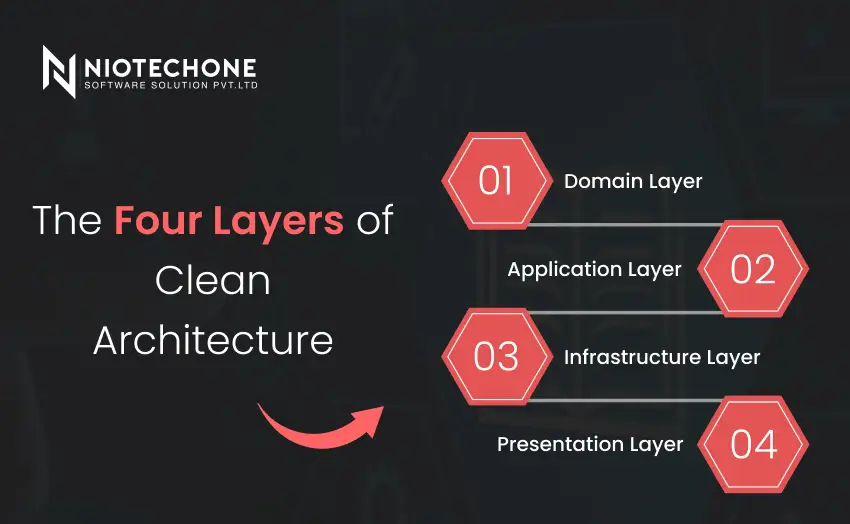
1) Domain Layer: Company-wide business rules (entities, value objects, events).
2) Application Layer: Use cases and DTOs (MediatR, FluentValidation).
3) Infrastructure Layer: Data access, caching, file storage (EF Core, MongoDB client, Kafka).
4) Presentation Layer: Web API, gRPC, or Blazor (controllers, minimal APIs).
We will develop a simple “Order Management” system. You can apply this methodology when developing any .NET application development project.
Open your terminal (PowerShell 7+ recommended). Run these commands:
dotnet new sln -n Niotechone.CleanArchitecture
mkdir src
cd src
dotnet new classlib -n Domain
dotnet new classlib -n Application
dotnet new webapi -n Infrastructure
dotnet new webapi -n Presentation
Add them to the solution:
dotnet sln add src/**/*.csproj
The Domain project should reference nothing else. Add a simple Entity:
// Domain/Entities/Order.cs
namespace Niotechone.CleanArchitecture.Domain.Entities;
public class Order
{
public Guid Id { get; private set; }
public string CustomerEmail { get; private set; }
public decimal TotalAmount { get; private set; }
public DateTime CreatedAt { get; private set; }
public Order(string customerEmail, decimal totalAmount)
{
Id = Guid.NewGuid();
CustomerEmail = customerEmail;
TotalAmount = totalAmount;
CreatedAt = DateTime.UtcNow;
}
}
Add references:
Create a command and handler:
// Application/Orders/CreateOrderCommand.cs
public record CreateOrderCommand(string Email, decimal Amount) : IRequest;
public class CreateOrderHandler : IRequestHandler
{
private readonly IOrderRepository _repository;
public CreateOrderHandler(IOrderRepository repository) => _repository = repository;
public async Task Handle(CreateOrderCommand request, CancellationToken ct)
{
var order = new Order(request.Email, request.Amount);
await _repository.AddAsync(order, ct);
return order.Id;
}
}
Define the repository interface in the Application layer (not Domain):
// Application/Abstractions/IOrderRepository.cs
public interface IOrderRepository
{
Task AddAsync(Order order, CancellationToken ct);
}
// Infrastructure/Persistence/AppDbContext.cs
public class AppDbContext : DbContext
{
public AppDbContext(DbContextOptions options) : base(options) { }
public DbSet Orders { get; set; }
}
// Infrastructure/Repositories/OrderRepository.cs
public class OrderRepository : IOrderRepository
{
private readonly AppDbContext _context;
public OrderRepository(AppDbContext context) => _context = context;
public async Task AddAsync(Order order, CancellationToken ct)
{
await _context.Orders.AddAsync(order, ct);
await _context.SaveChangesAsync(ct);
}
}
Add reference: Presentation → Infrastructure
In Program.cs, register the layers:
// Presentation/Program.cs
builder.Services.AddDbContext(options =>
options.UseSqlServer(builder.Configuration.GetConnectionString("Default")));
builder.Services.AddScoped();
builder.Services.AddMediatR(cfg => cfg.RegisterServicesFromAssembly(typeof(CreateOrderHandler).Assembly));
// Add a simple endpoint
app. MapPost("/orders", async (CreateOrderCommand command, IMediator mediator) =>
{
var id = await mediator.Send(command);
return Results.Created($"/orders/{id}", id);
});
The best .NET development company, we always use Clean Architecture principles. Here is what our customers get from it:
Without Clean Architecture | With Niotechone’s Clean Architecture |
Closely connected with Entity Framework | Fast change to MongoDB (in case of necessity) |
Business Rules in Razor Pages or Controllers | Isolated business rules that are easy to test |
Adding new features is complicated | Open/Closed Principle implemented |
Recruitment of .NET developers takes time | Layers standardized so new members of the team can adapt in 2 days |
Testability is one of the key benefits of Clean Architecture. You can easily perform unit tests on CreateOrderHandler without using a database:
// Application.UnitTests/Orders/CreateOrderHandlerTests.cs
[Test]
public void Handle_Should_Create_Order()
{
// Arrange
var mockRepo = new Mock();
var handler = new CreateOrderHandler(mockRepo.Object);
var command = new CreateOrderCommand("client@niotechone.com", 150.00m);
// Act
var result = handler.Handle(command, CancellationToken.None).Result;
// Assert
mockRepo.Verify(x => x.AddAsync(It.IsAny(), It.IsAny()), Times.Once);
}
It is not optional to adopt Clean Architecture principles when building business applications on the .NET platform. As a Microsoft .NET development company, Niotechone Software Solution Pvt. Ltd. provides .NET development services that decouple business logic from infrastructure, making your solution testable, cloud-friendly, and framework-independent.
The choice to outsource your .NET developer to Niotechone allows you to take advantage of architects who have successfully applied design patterns such as CQRS and MediatR across all layers.
Yes, but with caution. For APIs with under 10 endpoints, start with Minimal APIs. However, if you plan to grow or hire .NET developers later, Clean Architecture prevents costly rewrites. Niotechone uses a "light" version for MVPs.
Absolutely. Native AOT, TimeProvider abstraction, and LoggerMessageAttribute in .NET 9/10 make Clean Architecture even cleaner. As a Microsoft .NET development company, we recommend it for all new enterprise projects.
Place SignalR hubs in the presentation layer. Business logic stays in the Application layer via the ISignalRNotifier interface. Your Domain never knows about WebSockets. This keeps your ASP.NET Core development testable and fast.
Leaking EF Core references into the Domain layer. Never put [Table], [Key], or Include() in your Domain entities. Your Domain should have zero NuGet packages except System.
2-3 weeks of hands-on practice. With proper mentorship from an experienced .NET application development company like Niotechone, developers become productive within 10 working days.
3rd Floor, Aval Complex, University Road, above Balaji Super Market, Panchayat Nagar Chowk, Indira Circle, Rajkot, Gujarat 360005.
Abbotsford, BC
15th B Street 103, al Otaiba Dubai DU 00000, United Arab Emirates
3rd Floor, Aval Complex, University Road, above Balaji Super Market, Panchayat Nagar Chowk, Indira Circle, Rajkot, Gujarat 360005.
Abbotsford, BC.
15th B Street 103, al Otaiba Dubai DU 00000, United Arab Emirates.
Copyright © 2026 Niotechone Software Solution Pvt. Ltd. All Rights Reserved.