CI/CD Pipelines for .NET Core Projects

The Streamlining of Development: Unleashing the power of CI/CD Pipelines .NET Core Projects using Jenkins Integration

Introduction

In today’s fast-paced software development industry efficiency is a must. Continuous integration and continuous delivery (CI/CD) pipelines have evolved into essential tools for teams of modern developers seeking to provide quality software at a rapid speed. In this blog we will look at the possibility of integrating Jenkins together with .NET Core applications, revealing the possibilities it has to streamline processes for development.

CI/CD Pipelines for .NET Core projects at Niotechone Software Solution Pvt. Ltd. – Automate and streamline your development workflow.

Understanding CI/CD Pipelines:

Before getting deep into Jenkins connection, lets look at the concept of pipelines that rely on CI/CD. Continuous Integration is a set of best practices that automate testing and deploying changes to code. Continuous Integration is a method of integrating changes to the code to a common repository many times per day, which triggers automated tests and builds. Continuous Delivery can take it one step further by automatically deploying changes to staging or testing environments and achieving the goal of deploying the changes to production in any moment.

Why Jenkins for .NET Core:

Jenkins is an open source automation server which is a key component in automatizing a part of the development process. Its flexibility and the vast community of plugins makes it a preferred choice to set up pipelines for CI/CD. When it comes to .NET Core projects, Jenkins offers a robust set of features, allowing developers to seamlessly integrate workflows and automate the process from testing and building to deployment.

Setting Up Jenkins for .NET Core:

1. Jenkins Installation:

Start with first installing Jenkins onto your computer. You can refer to instructions from the guidelines in the Jenkins documentation for instructions on installation that are specific to your specific operating system.

2. Installing Plugins:

Increase Jenkins capabilities by installing additional plugins related for .NET Core development. Important plugins include MSBuild as well as NUnit plug-ins which allow building and testing .NET projects.

3. Configuring Jenkins Jobs:

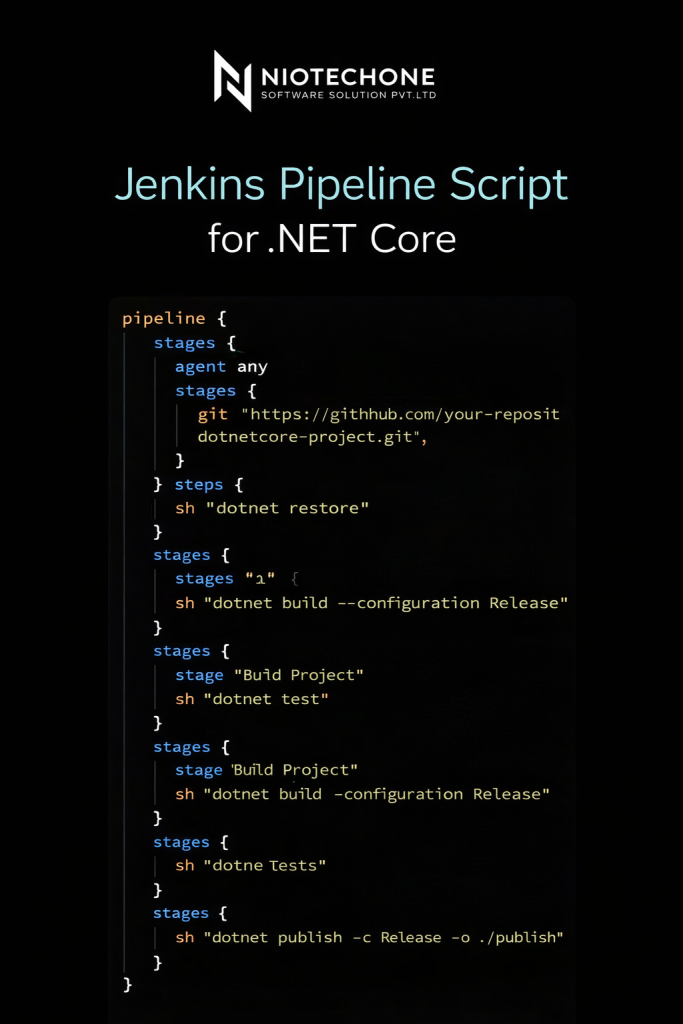
Make Jenkins jobs to specify the steps of your CI/CD process. Configure the build steps to build the .NET Core project, run unit tests and generate artifacts.

4. Version Control Integration:

Incorporate Jenkins into your system for managing versions like Git, to start builds automatically whenever changes are released. This will ensure that your CI/CD pipeline is in tune to your source code base.

The benefits of Jenkins integration to .NET Core:

1. Automated Testing:

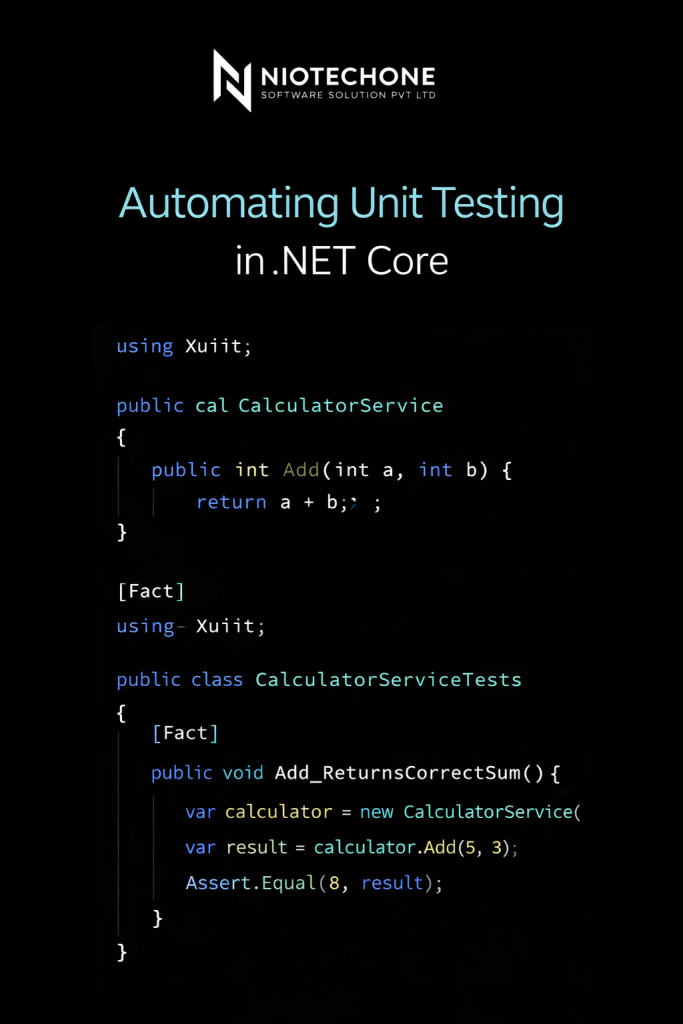
Jenkins automatizes the execution units tests and which ensures that any changes to the code do not cause regressions. This ensures reliability and stability that you can count on for .NET Applications that are Core.

2. Consistent Builds:

Automating the process of building with Jenkins You can eliminate the ambiguity that comes with manual build processes. This consistency is vital to creating reliable and reproducible artifacts.

3. Rapid Feedback Loop:

With Jenkins’ CI/CD pipelines in place, developers can receive instant feedback on the changes they make to their code. This helps speed up the development process when issues are discovered and addressed at an early stage of the process.

4. Seamless Deployment:

Jenkins helps to deploy .NET Core applications to various environments, streamlining the way to production. Automated deployments minimize the chance that human mistakes can occur and guarantee an efficient release process.

Conclusion

In the end the integration of Jenkins in conjunction with .NET Core projects unleashes a new world of possibilities for developers teams who want to enhance their workflows. A combination of Jenkins automation capabilities with the power of .NET Core provides a powerful environment for developing tests, deploying, and building software with confidence. Make use of the potential of CI/CD pipelines and watch the development process develop into a smooth and efficient process.

Frequently Asked Questions FAQs

CI/CD (Continuous Integration/Continuous Deployment) pipelines in .NET Core development are automated processes that allow developers to build, test, and deploy their applications efficiently and consistently. These pipelines help streamline the development workflow by automating repetitive tasks.

CI/CD is important for .NET Core projects because it:

  • Increases development speed and efficiency.
  • Ensures consistent and reliable builds.
  • Facilitates early bug detection through automated testing.
  • Enables rapid deployment of new features and updates.

Jenkins integrates with .NET Core projects through plugins and scripts. Plugins such as the Jenkins MSBuild plugin enable Jenkins to build .NET Core projects using MSBuild. Scripts can be used to automate tasks like running tests, packaging applications, and deploying artifacts.

The Yoast Plugin is a Jenkins plugin that provides integration with Yoast SEO, a popular SEO optimization tool for WordPress. It enhances Jenkins integration by allowing developers to analyze and optimize their build pipelines for better SEO performance.

CI/CD pipelines improve the quality of .NET Core applications by:

  • Automating code quality checks and tests.
  • Facilitating early feedback through automated builds and tests.
  • Enabling rapid identification and resolution of bugs.
  •  Ensuring consistent deployment processes.

Key components of a CI/CD pipeline for .NET Core projects include:

  •  Source Control: Git, GitHub, Bitbucket, etc.
  • Build Automation: Jenkins, Azure DevOps, TeamCity, etc.
  • Testing Frameworks:MSTest, NUnit, xUnit, etc.
  • Artifact Repository: Nexus, Artifactory, NuGet, etc.
  • Deployment Tools: Docker, Kubernetes, Azure App Service, etc.

Jenkins and the Yoast Plugin can help in SEO optimization for .NET Core projects by:

  • Analyzing build output for SEO performance.
  • Automating SEO best practices in deployment pipelines.
  • Integrating with Yoast SEO to ensure optimized metadata and content.

Best practices for implementing CI/CD pipelines in .NET Core projects include:

  • Automating everything possible, from build to deployment.
  • Using version control for all code and configuration.
  • Ensuring tests are fast, reliable, and run automatically.
  • Monitoring and logging build and deployment processes.
  • Continuously improving pipelines based on feedback and metrics.

Migrations in EF Core are used to manage changes to the database schema over time. They provide a way to apply incremental updates to the database structure, keeping it in sync with the application's data model. Migrations can be created, applied, and rolled back using EF Core tools.

You can measure the performance of your EF Core queries using tools such as the `DbContext.Database.Log` property, SQL Server Profiler, or third-party profiling tools. To improve performance, analyze query execution plans, optimize indexes, use compiled queries, and refactor inefficient LINQ queries.