Blazor Hybrid: Building Desktop and Mobile Apps with C#

Introduction

The current challenge to developers is to create applications that can run on desktop and mobile without necessarily doubling their efforts. Traditionally, this meant developing separate codebases for Windows, macOS, iOS, and Android. That is time-consuming and costly.

Blazor Hybrid, driven by .NET MAUI, changes the game. It allows you to create cross-platform applications with C# and Razor components, with the ease of web development and the performance of native applications.

What is Blazor Hybrid?

Blazor Hybrid belongs to the .NET ecosystem. It enables developers to embed Blazor components within native applications developed with .NET MAUI (Multi‑platform App UI).

  • Blazor: A C#-based framework to create interactive web UIs, rather than JavaScript.
  • Hybrid Apps: Applications that integrate web technologies and native capabilities.
  • Blazor Hybrid: The hybrid of the two worlds – write in C#, run on desktop and mobile.


In short, you apply your current C# knowledge to create apps that appear and feel native on platforms. This makes it an effective option for any
.NET application development company that provides cross-platform solutions.

Why Blazor Hybrid is a Game‑Changer

Blazor Hybrid has obvious benefits to developers and businesses:

  • Single Codebase: Write once, run everywhere.
  • Quick Development: There is no need to maintain separate projects for web, Android, and iOS.
  • Native Access: Use .NET MAUI to access device capabilities such as camera, GPS, and notifications.
  • Performance: Apps are not loaded in a browser sandbox, so they are fast and responsive.
  • Consistency: Coherent UI logic across platforms to provide a consistent user experience.


For companies providing ASP.NET development services or .NET development services, these benefits translate into reduced costs and faster delivery.

How Blazor Hybrid Works

Blazor Hybrid apps use .NET MAUI as the host. Blazor components are embedded in the MAUI app.

  • UI Layer: Razor components (HTML + C#).
  • Native Integration: MAUI has access to native APIs.
  • Rendering: Local, not WebAssembly, rendering, therefore, is more like native apps.


Imagine it as a blend of the flexibility of web development and the power of native apps. That is why there are Microsoft .NET development companies are adopting Blazor Hybrid for enterprise solutions.

Real‑World Use Cases of Blazor Hybrid

Enterprise Applications

Blazor Hybrid can be used to create a sales performance dashboard for a multinational company. Detailed analytics are displayed on desktops to managers and simplified versions on tablets to field agents. This saves on maintenance expenses and provides consistent reporting among devices.

Healthcare

Hospitals can create a patient management system in which physicians round with iPads and administrators handle billing on desktops. Blazor Hybrid guarantees safe data management and offers a single interface to staff and patients.

FinTech Solutions

Banks are able to develop a loan approval workflow application. Desktops are used by loan officers in branches, and mobile devices are used by field agents to capture customer data. Common C# logic provides uniform validation rules, and native integration provides secure biometric authentication.

Education Platforms

A learning management system (LMS) can be constructed in universities. Professors post assignments on desktops, and students watch lectures and send homework using mobile applications. Push notifications remind students of deadlines.

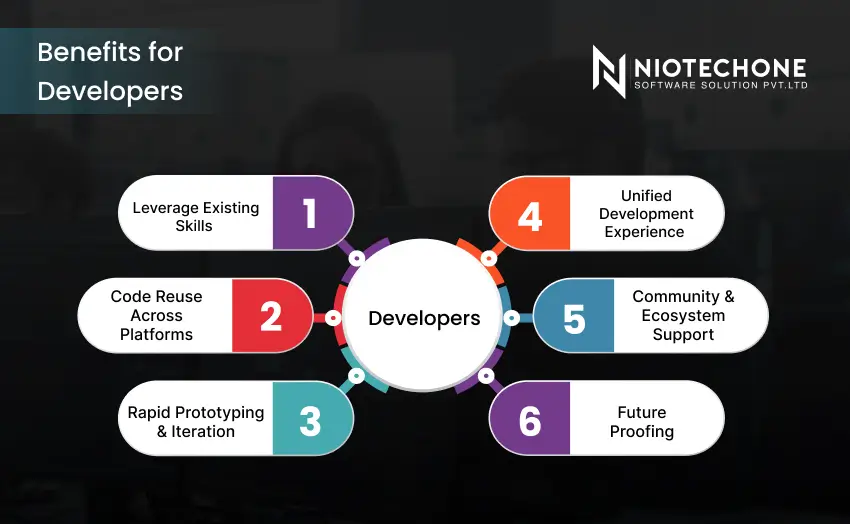
Benefits for Developers

Blazor Hybrid is not just about cross-platform convenience; it literally empowers developers in practice:

Leverage Existing Skills  

Already familiar with C# and .NET, I do not have to learn new languages such as Swift (iOS) or Kotlin (Android). This reduces the entry barrier to mobile and desktop app development.

Code Reuse Across Platforms  

Web, desktop, and mobile can share business logic, business models, and even UI components. This minimizes duplication and provides consistency in features and performance.

Rapid Prototyping & Iteration  

Using a single codebase, developers can create prototypes and test them on a variety of platforms in a short time. This speeds up innovation and reduces time-to-market.

Unified Development Experience  

With Visual Studio and .NET tooling, developers have a comfortable debugging, testing, and deployment environment. This simplifies workflows and minimizes context switching.

Community & Ecosystem Support  

Supported by Microsoft, Blazor Hybrid has good documentation, community forums, and updates. A growing ecosystem of libraries and tools can be trusted by developers.

Future‑Proofing  

As .NET is evolving, Blazor Hybrid is adding new features in a seamless manner. Developers do not have to rewrite apps to keep up with each platform.

For businesses looking to hire .NET developers, these benefits mean faster onboarding and productivity.


Challenges for Developers

Although Blazor Hybrid is a powerful tool, developers must consider possible challenges and adhere to best practices to achieve maximum success:

App Size  

Hybrid applications can contain extra libraries, which makes them bigger than pure native applications. This may influence downloading and storage.

Learning Curve  

Developers need to know both Blazor (UI components) and .NET MAUI (native integration). This two-fold knowledge may be time-consuming to learn.

Performance Optimization  

Blazor Hybrid apps are locally executed, but when workloads are high or the components are not optimized, they can be slow, particularly on mobile devices.

Platform Differences  

Every platform (Windows, iOS, Android, macOS) behaves differently. Developers should test extensively to provide a uniform user experience.

Best Practices for Developers

Keep UI Lightweight  

Create mobile interfaces simply. Do not use heavy layouts or unneeded animations that may slow down performance.

Use Dependency Injection  

Share services and business logic effectively across platforms using dependency injection, which guarantees clean architecture.

Optimize Assets  

Reduce load times and enhance responsiveness by compressing images, reducing CSS/JS, and using caching techniques.

Test Across Devices  

Test apps on other operating systems and screen sizes regularly to identify platform-specific problems early.

Secure Your App  

Use modern authentication (OAuth 2.1, JWT) and best practices in data encryption, particularly in such sectors as healthcare and finance.

Monitor Performance  

Profiling tools can be used to determine bottlenecks and optimize queries, rendering, and memory usage.

Conclusion

Blazor Hybrid is a blend of the simplicity of Blazor and the native functionality of .NET MAUI, which allows developers to create cross-platform applications with only C#. Whether you’re an ASP.NET Core development company, a .NET Core development company, or a business seeking reliable .NET development services, Blazor Hybrid helps deliver consistent, high‑performance applications across devices while saving time and cost.

Frequently Asked Questions FAQs

Blazor Hybrid is a framework that lets you build desktop and mobile apps using C# and Blazor components inside .NET MAUI.

Blazor WebAssembly runs in the browser, while Blazor Hybrid runs locally inside native apps, offering better performance and access to device features.

Yes, Blazor Hybrid works with .NET MAUI, which supports iOS, Android, Windows, and macOS.

No. You can build apps entirely with C# and Razor components, though you can still integrate JavaScript if needed.

Yes, Many companies are already using it for enterprise, healthcare, and e‑commerce apps.