
Microsoft Copilot: Your AI-Powered Productivity Partner
- Niotechone Marketing Team
Introduction
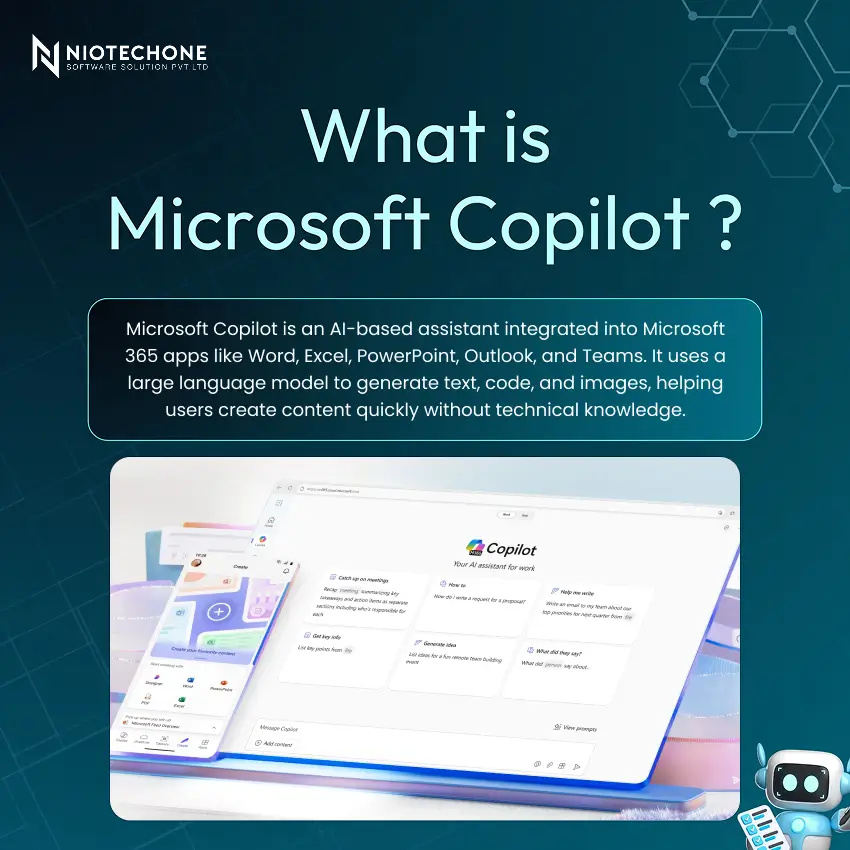
The workplace is changing more rapidly than ever, and artificial intelligence is at the heart of that change. One of the most important productivity breakthroughs of the last few years is Microsoft Copilot, an AI assistant that is directly integrated into the tools that millions of people already use on a daily basis. Whether you are writing a report in Word or catching up on emails in Outlook, Copilot works with you to save time, reduce effort, and unlock new levels of creativity.
Why Microsoft Copilot Matters
Copilot is not another productivity add-on – it provides actual strategic value in four dimensions:
Streamlines Workflows – Automates time-consuming, repetitive tasks, and liberates teams to do higher-value, strategic work.
Increases Creativity – Brainstorms, writes, and draws to get out of creative ruts in real time.
Sharpens Decisions – Provides fast summaries and data insights, allowing faster and more informed decision-making.
Democratises AI – Makes advanced AI features accessible to ordinary users in familiar Microsoft applications, and no expertise is needed.
Key Features of Microsoft Copilot
Copilot is pre-loaded with five powerful capabilities that will cover all the stages of modern work:
- Content Generation – Generates emails, documents, presentations, and code based on simple natural language prompts.
- Summarization – Reduces the size of long documents, email messages, and meeting notes into concise key points.
- Data Analysis – Processes Excel data, trends, and actionable insights are automatically generated.
- Image Creation – Produces custom images and graphics on demand to be used in presentations and documents.
- Contextual Assistance – Knows what you are doing in Microsoft 365 apps to provide highly relevant, personalized assistance.
How Microsoft Copilot Works
Copilot is highly integrated into Microsoft 365 Word, Excel, PowerPoint, Outlook, and Teams.
The workflow is a simple loop: the user enters a prompt, the large language model processes it, Copilot generates an output, and the user can refine the result in a loop. The unique strength of Copilot is that it bases its responses on your organisation’s own documents, emails, and calendar entries of your organization, and provides truly personalized assistance, not generic AI output.
Benefits of Using Microsoft Copilot
- Increased Productivity – Save a lot of time on drafting, summarizing, and data analysis, and focus on what is important.
- Improved Creativity – Breaks the writer’s block and allows one to easily produce refined and interesting content.
- Streamlined Collaboration – Accelerates communication, content sharing, and alignment across teams.
- Personalized Assistance – Customize each response to your unique situation and the unique data of your organization.
Use Cases Across Teams
Microsoft Copilot brings value to all departments:
- Sales – Customize decks, draft follow-up emails, and recap customer interactions in seconds.
- Marketing — Brainstorm campaign ideas, write advertisement copy, and create social media content at scale.
- Development – Rapidly generate code, automatically debug, and clearly explain complex logic.
- Design and Productivity – Design your own visuals, summarize meeting notes, and write project proposals without any hassle.
Pros and Cons of Microsoft Copilot
Pros
- Considerable time savings and quantifiable productivity improvements in all teams.
- Increased creativity and improved quality content production.
- Smooth integration into the well-known Microsoft 365 ecosystem.
- Easy-to-use AI that requires no technical skills and can be used by everyday business people.
Cons
- Possibility of inaccuracies — AI-generated content should never be overlooked.
- The issue of data privacy and security demands strong governance policies.
- Learning curve to develop effective, well-structured prompts.
- Cost can be a challenge for smaller organisations with smaller budgets.
Conclusion
Future improvements involve further integration across third-party applications and services through Copilot plugins, enhanced reasoning and multi-modal capabilities, autonomous agent workflows, and improved personalization based on more grounded organisational data. Microsoft Copilot is not merely a productivity tool but a strategic AI partner that is redefining the way organizations work, create, and decide. The people who adopt it today will be the leaders tomorrow.
Categories
Related Articles

Related Tags
Frequently Asked Questions FAQs
Microsoft Copilot is an AI-powered assistant integrated into Microsoft 365 apps like Word, Excel, PowerPoint, Outlook, and Teams. It uses large language models to help users draft content, summarise information, analyse data, and generate images — all from simple natural language prompts.
No, Copilot is designed for everyday business users. It works within the Microsoft 365 tools you already know, and all you need to do is type a prompt in plain language to get started.
Copilot is embedded across Word, Excel, PowerPoint, Outlook, and Teams, with ongoing expansion to third-party apps and services through Copilot plugins.
Copilot is highly capable, but AI-generated content is not always perfect. It is important to review all Copilot outputs carefully before using them in professional or business contexts.
Microsoft Copilot for Microsoft 365 is available as an add-on subscription. Pricing may vary by plan and organisation size. Smaller businesses should evaluate the cost-benefit carefully before adoption.










