
Runway AI: The Future of Video Creation for Everyone
- Niotechone Marketing Team
Introduction
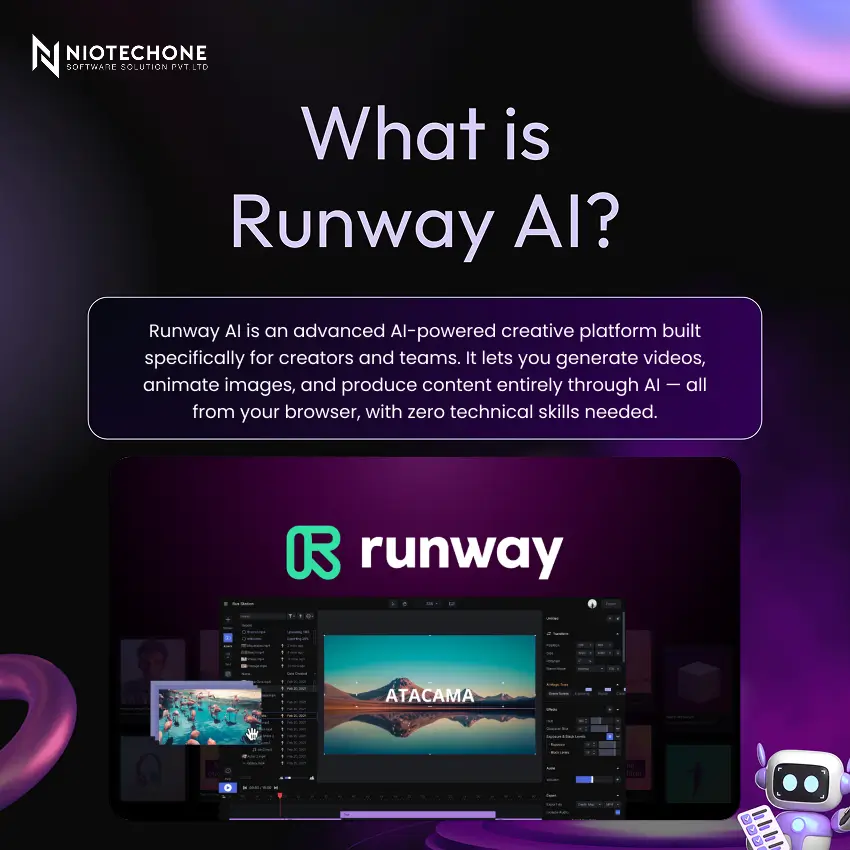
Professional video production used to require expensive software, a skilled editor, and hours of work. Runway AI changes all of that. Whether you are a content creator, marketer, teacher, or business professional, Runway lets you generate and edit high-quality videos using nothing but a text prompt — no editing experience required.
Why is So Popular Among Creators
- Easy to Use — Beginner-friendly design means anyone can jump in without tutorials or training.
- Saves Time and Effort — What used to take hours now takes minutes with AI automation.
- No Heavy Software — Skip Adobe Premiere Pro. Runway runs entirely in your browser on any device.
- Browser-Based — No downloads or installation required. Sign in and start creating instantly.
Key Features of Runway AI
1. Text-to-Video — type an idea, and it turns it into a video.
2. Image-to-Video — make a still image move like a short clip.
3. Background Removal — remove the background in one click, no extra setup.
4. AI Video Editing — handles cuts, transitions, and colors on its own.
5. Motion Tracking — follows moving objects and adds effects to them.
How Runway AI Text-to-Video Works
Step:1 — Write a Prompt: Describe your scene in plain English. No technical skills needed. For example: “A dog running on the beach at sunset, cinematic slow motion, golden hour lighting.”
Step:2 — AI Processes: It’s Gen-3 model interprets your words and renders the video automatically.
Step:3 — Download and Share: Your video is ready in seconds — export and use it anywhere.
How Runway AI Helps Your Business Team
- Client Presentations — create short intro videos that look professional, without needing editing skills.
- Marketing Campaigns — make product videos and social media ads much faster.
- Employee Training — put together simple, easy-to-follow training videos for your team.
- Emails and Proposals — add short video clips to make your proposals stand out.
How to Get Started
Step:1 — Visit the runway.ml: open it in your browser, no need to install anything.
Step:2 — Sign Up Free: create an account and start with the free credits.
Step:3 — Pick a Tool: choose Text-to-Video, type what you want, and generate.
Step:4 — Download and Use: check the result, make small changes if needed, then download and use it.
Real-Life Use Cases
- Content Creators — people making YouTube or Instagram videos use it for quick reels and intros.
- Marketing and Ads — teams use it to put together ads without going all out on production.
- Film-making — indie creators use it for effects and small edits.
- Education — teachers use it to explain things with simple videos.
Runway AI: Advantages and Limitations
Advantages | Limitations |
Generate professional videos in seconds | AI-generated videos may contain artifacts — always review before sharing |
No technical skills required — works for everyone | Requires a stable internet connection at all times |
Replaces expensive software, crews, and studio time | Advanced features like Gen-3 and longer videos need a paid subscription |
Complete creative freedom — bring any idea to life | — |
Conclusion
It AI is transforming video creation for everyone — from solo creators to enterprise teams. It removes the barrier of technical skill, replaces expensive production workflows, and puts the power of professional video in the hands of anyone with an idea. As Runway puts it: “Runway turns imagination into reality using AI.” If you create content of any kind, it is worth trying today at runway.ml.
Categories
Related Articles

Related Tags
Frequently Asked Questions FAQs
Runway AI is a browser-based AI platform that allows users to generate, edit, and produce videos using simple text prompts without requiring editing skills.
Yes, it offers a free plan with credits to try core features. Advanced features like Gen-3 and longer video generation require a paid subscription.
No, Runway works entirely in your browser. You can sign up and start creating instantly.
It is ideal for content creators, marketers, educators, filmmakers, and business teams who want to create high-quality videos quickly.
Unlike tools like Adobe Premiere Pro, It uses AI to automate video creation — you simply describe what you want, and it generates the result.










