
n8n: Open-Source Workflow Automation Made Simple
- Niotechone Marketing Team
Introduction
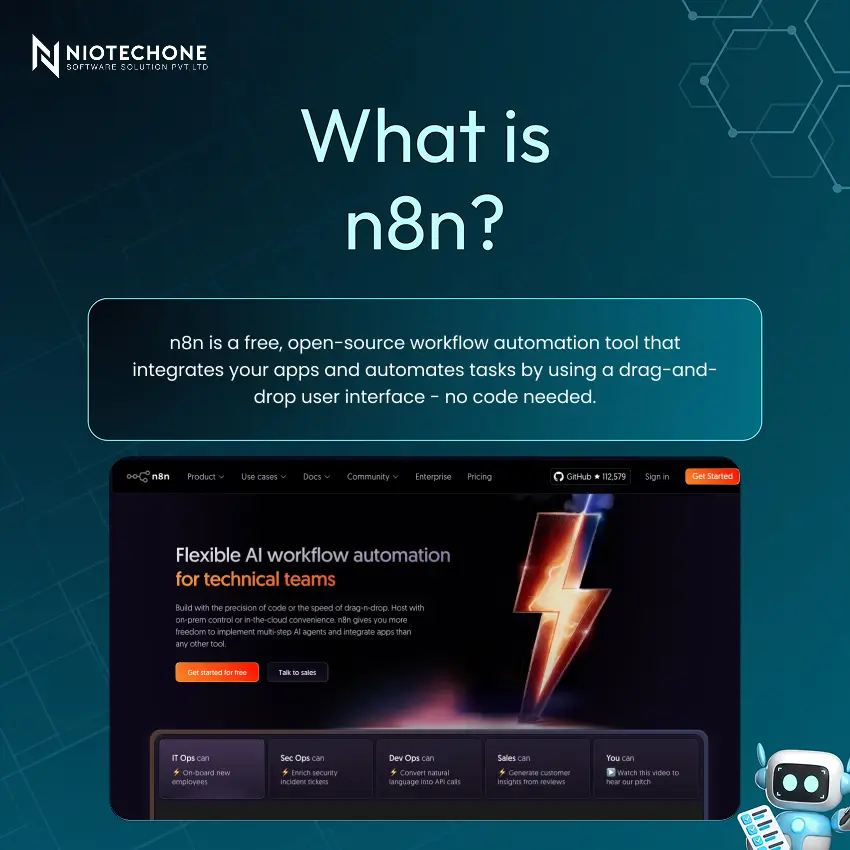
Automation is one of the largest hidden expenses in all businesses. Data entry, scheduled notifications, platform integration – it all can be automated. n8n is a free, open-source tool that integrates your apps and automates your workflows, with a simple visual editor that doesn’t require any code.
Core Features of n8n
n8n has a lot of features that make it a tool for all levels of automation experts:
1) Drag & Drop Interface – Create workflows without any coding experience
Custom Code (JavaScript) – Add your own code for more advanced logic
2) Webhooks & API Integrations – Integrate with any service you want
3) Conditional Branching & Data Formats – Create rules to branch, format data, and automatically catch errors
4) Workflow Scheduling – Schedule automations to run when you want
5) Cloud or Self-Hosted – Choose between n8n’s cloud or self-hosted
Deployment Options: Cloud vs Self-Hosted
A key feature of n8n is the option between two deployment options, depending on your needs:
- Cloud-Hosted: Quick to get up and running with no server needed. Great for getting started without a server – perfect for new users and teams.
- Self-Hosted: Total data control, enhanced privacy, and unlimited usage. iHost n8n on your own server or infrastructure – ideal for tech-savvy teams with data considerations.
- Fair-Code Licence: n8n has a fair-code licence, allowing you to access and edit the source code. This is a major advantage over other automation software.
Compare on: Control, cost, security & maintenance. Self-hosted is free to run any number of workflows; cloud is easy and fast.
Typical Use Cases
n8n has numerous use cases for teams and companies:
- Data Sync – Sync data automatically between apps, eliminating copy/paste
- Automatic Reports – Get reports and notifications sent automatically at a set time
- App Integrations – Automatically integrate apps to communicate with each other
- Data Preparation – Automatically prepare data for reports and analytics
Advantages of n8n
- Open-Source – Access and change the code as needed without lock-in
- Complete Control – Data remains on your servers when you self-host
- Affordable – Much cheaper than others like Make and Zapier
- Highly Flexible – Supports simple and complex workflows with custom logic
- No Limits – Run workflows without limits with the self-hosted version
Disadvantages of n8n
An honest look at the limitations:
- Learning Curve – More complex to use than easier-to-grasp tools such as Zapier, particularly for non-technical users
- Technical to Self-Host – Requires technical expertise to host, maintain, and upgrade
- Smaller Community – Fewer documentation and tutorials than the paid big players
- Cloud Free Tier Restrictions – The free cloud option has limits; a paid plan or self-hosting is required for extensive use
- Complicated Editor – The user interface can be daunting to a new user
How to Get Started with n8n: 5 Steps
Toggle between List, Board, Calendar, and Gantt views based on the requirements of your team. Automate routine tasks such as alerting a manager when a task is done or changing priority when a deadline is missed. All task conversations happen within the task itself – keeping conversations within the work and visible to the entire team.
Conclusion
n8n has a clear advantage in an increasingly competitive workflow automation space for one simple reason: it allows you to enjoy the benefits of enterprise automation tools without the enterprise cost – or handing over your data to a third party.
Being open-source and self-hosted is a key differentiator. While competitors such as Zapier and Make charge a monthly subscription fee and lock you into their platform, n8n allows you to run as many automations as you want on your own infrastructure, modify the source code to suit your needs, and own and control your data.
Categories
Related Articles



Related Tags
Frequently Asked Questions FAQs
n8n is a free, open-source workflow automation tool that connects apps and automates tasks using a visual editor, APIs, and webhooks.
Yes. The self-hosted version is fully free. The cloud version has a free tier and paid plans.
No. You can build workflows visually. JavaScript is optional for advanced use.
Cloud: easy setup, no server.
Self-hosted: full control and privacy, needs technical setup.
n8n supports 200+ integrations and allows custom connections via APIs and webhooks.










