
Elementor AI: The Future of Website Design on WordPress
- Niotechone Marketing Team
Table of Contents
- Introduction
- What Is Elementor?
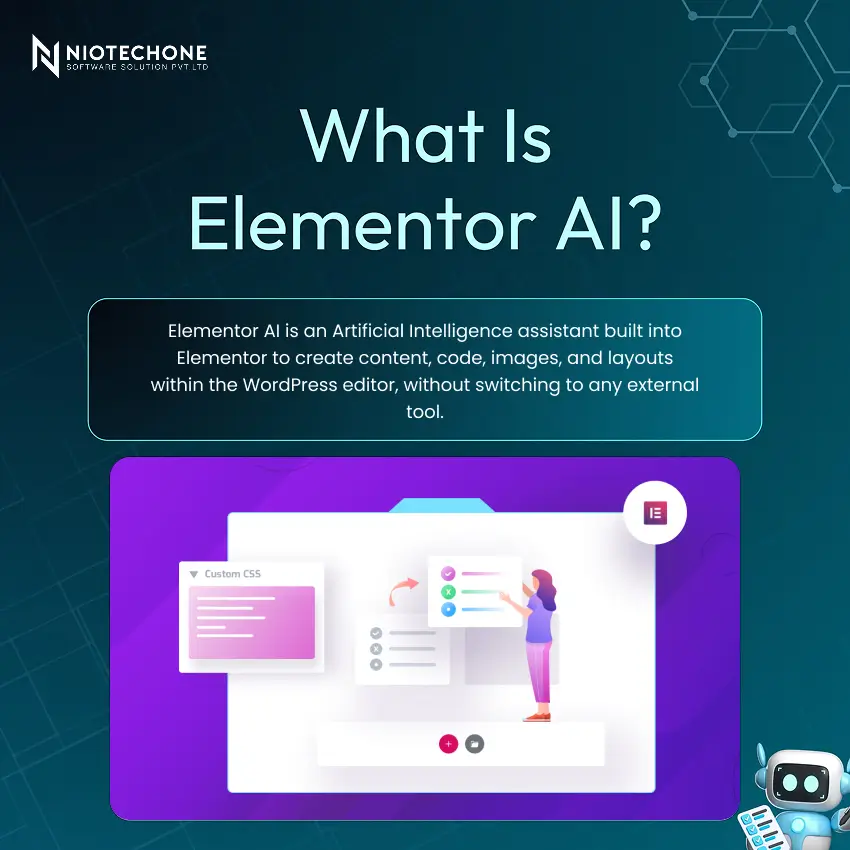
- What Is Elementor AI?
- How Elementor AI Works: The Prompt-to-Publish Workflow
- Features of Elementor AI: Six Capabilities in One Editor
- Real-World Use Cases: Where Elementor AI Makes an Impact
- Benefits of Elementor AI: Reasons It Matters
- Limitations and Challenges to Keep in Mind
- Best Practices: Pro Tips for Getting the Most Out of Elementor AI
- Conclusion
Introduction
Creating a professional website on WordPress has always been a combination of skills that most people don’t have all in one place: design sensibility, copywriting ability, technical knowledge of CSS and HTML, and hours of repetitive manual work.
What Is Elementor?
Elementor is a popular drag-and-drop WordPress website builder plugin that allows users to create professional websites without coding. It is built on top of WordPress and turns the WordPress editing interface into a real, visual canvas.
How Elementor AI Works: The Prompt-to-Publish Workflow
Its workflow is straightforward, with just four steps, and all of them happen within the WordPress editor, no additional tools, no context switching, no tab-hopping:
- Prompt — A heading, an image, a CSS snippet, or a layout idea, all in plain language. The more specific the description, the more focused the output.
- Generate — The AI will analyze your request and provide you with content or code that is ready to use, with options to review and select.
- Refine — Edit, regenerate, or tweak the output until it exactly matches your vision. Iteration is part of the flow; there is no output until you say it is.
- Publish — Drop the result directly into your page and publish — all within Elementor, without leaving the editor at any point.
Features of Elementor AI: Capabilities in One Editor
Four AI-powered features address all key website-building requirements:
- AI Content — Generates headings, paragraphs, blog introductions, product copy, and call-to-action text on demand, eliminating the blank page problem for every section of every page.
- AI Code — Generates custom CSS, HTML snippets, and small JavaScript functions from plain language descriptions, accessible to non-developers and quicker for experienced ones.
- AI Images — Generate banners, hero images, and background images as needed — original images designed to your design requirements without requiring stock photo subscriptions or a graphic designer.
- AI Translation — Instantly translates full-page content into multiple languages, allowing for multilingual websites without manual translation or third-party services.
Real-World Use Cases: Where Elementor AI Makes an Impact
Elementor AI has been adopted by numerous industries to streamline website development and enhance daily design processes. It has the highest value in use cases:
- Small Business Sites — Generate landing pages, service pages, and contact pages in minutes with AI-generated copy that’s ready to publish.
- E-Commerce Stores — Generate product descriptions, promotional banners, and category headings in seconds — solve the high-volume content challenge of eCommerce sites at scale.
- Bloggers and Writers — Create article introductions, section headings, and meta descriptions to publish faster and keep a consistent publishing schedule without the writing block.
Benefits of Elementor AI: Reasons It Matters
Elementor AI is a real game-changer in WordPress development, offering three measurable benefits:
Faster Development — Automation cuts down the repetitive build time that takes hours for each project, making it much quicker.
Increased Productivity — Use creative energy to make decisions about strategy and design, not to do routine content and code generation chores.
Better Creativity — AI can generate ideas for content, design, and layout, helping to break through creative blocks and inspire new ideas.
Moreover, Elementor AI also offers responsive design on all devices — responsive design is generated automatically without manual intervention.
Limitations and Challenges to Keep in Mind
To make the most of Elementor AI, teams should be aware of three honest limitations and set realistic expectations:
Content Needs Review — AI-generated content is not always accurate and always needs human editing prior to publishing. Think of each output as a first draft, not a final product.
Generic Outputs — There are some AI-generated layouts and content that may be similar across projects. Each site needs to be customized to make it unique to the brand.
Internet Dependency — All AI features require an internet connection. Offline editing is not available for AI-powered functionality.
Best Practices: Pro Tips for Getting the Most Out of Elementor AI
To ensure teams get the best possible results from Elementor AI, there are six practical tips to keep in mind:
1) Write Clear Prompts — Make your prompts specific for tone, audience, length, and design purpose for better, more usable results from each generation.
2) Always Review Output — Consider all AI output as a first draft. Review for fact, brand tone, and SEO before publishing.
3) AI + Human Design — AI for speed and volume, human designers for taste, strategy, brand differentiation, and final quality polish.
4) Use a Style Guide — Use the same colours, fonts, tone of voice, and design patterns throughout the site to create a consistent brand identity.
Conclusion
It is a true game-changer in the WordPress website design and development landscape. It seamlessly integrates AI-driven content generation, code generation, image creation, translation, and layout recommendations into the Elementor editor, eliminating the most tedious parts of the web design process without forcing anyone to step out of their comfort zone.
Categories
Related Articles


Related Tags
Frequently Asked Questions FAQs
No. It is specifically designed to be accessible to users without coding knowledge. It generates CSS, HTML, and small JavaScript snippets from plain language descriptions, making code accessible to non-developers and significantly faster for those who do have coding experience.
Elementor AI can generate headings, paragraphs, blog article introductions, product descriptions, call-to-action text, custom CSS and HTML snippets, AI images for banners and hero sections, translated page content, and improved layout structures — covering the full range of website creation needs.
No. Elementor AI requires an active internet connection to function. All AI features are cloud-based and are not available in offline editing mode.
Elementor AI produces strong starting points, but all output should be treated as a first draft and reviewed before publishing. Content may need editing for accuracy, brand voice, and SEO, and images should be assessed for relevance and quality before being used on live sites.
The future includes fully AI-generated websites from brief descriptions, voice-controlled design interfaces, dynamic personalized website experiences, and smarter AI developer assistants — all making WordPress faster and smarter.










