If you use WordPress to manage your website, organising your content into categories can help enhance navigation and improve the user experience. In this article, we will walk through the process of arranging categories in WordPress in a simple and easy-to-understand manner. By learning how to arrange categories effectively, you can make it easier for visitors to find relevant content on your site and reduce the bounce rate.
Categories in WordPress are like folders that help you organise your blog posts. They allow you to group related content together, making it easier for your readers to find and navigate through different topics on your website. Think of categories as a way to neatly arrange your posts so that visitors can easily locate the information they are looking for.
To arrange categories in WordPress, you will have to follow the given steps carefully:
Step 1: Go to the WordPress login panel and enter the username and password to log in to WordPress. You can access the login panel by adding /wp-login.php in at the end of your website URL. In my case, it is – http://127.0.0.1/wordpress/wp-login.php
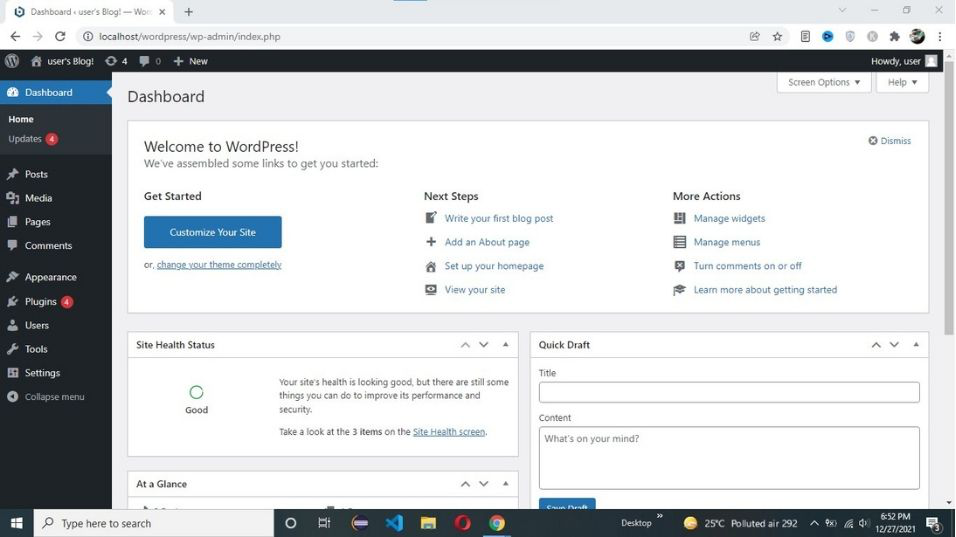
After login into WordPress, you will be able to see a dashboard like this:
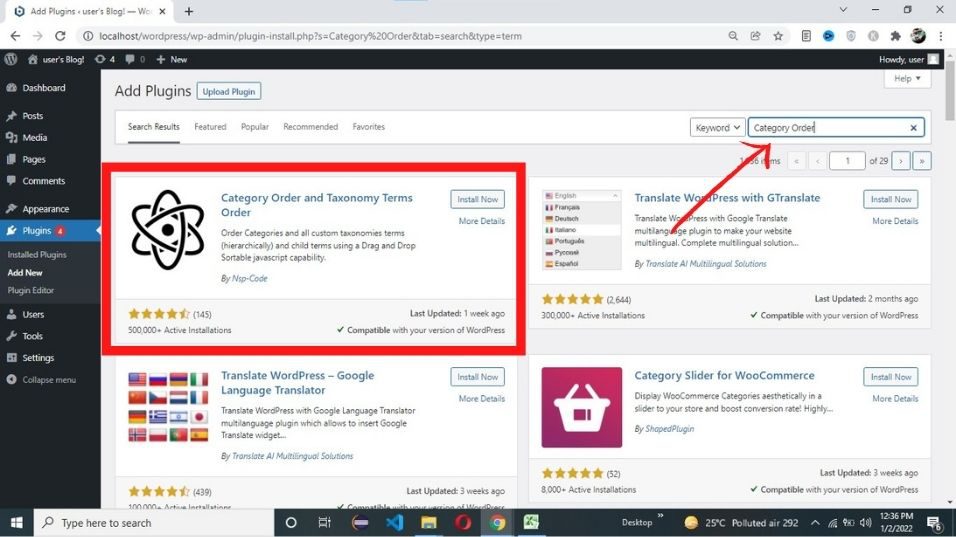
Step 2: we can’t arrange categories directly in WordPress. so first we need to install a plugin. Go to Plugin -> Add New and search for Category Order.
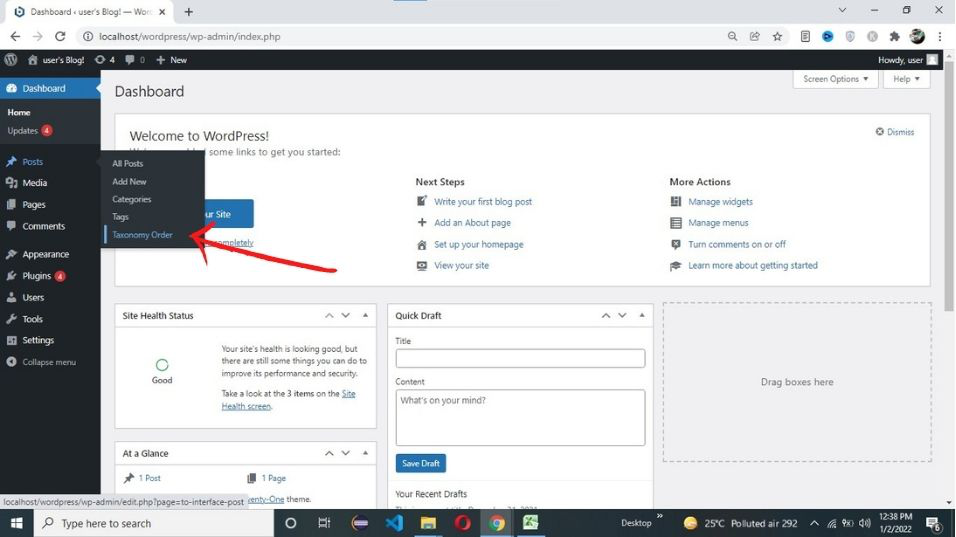
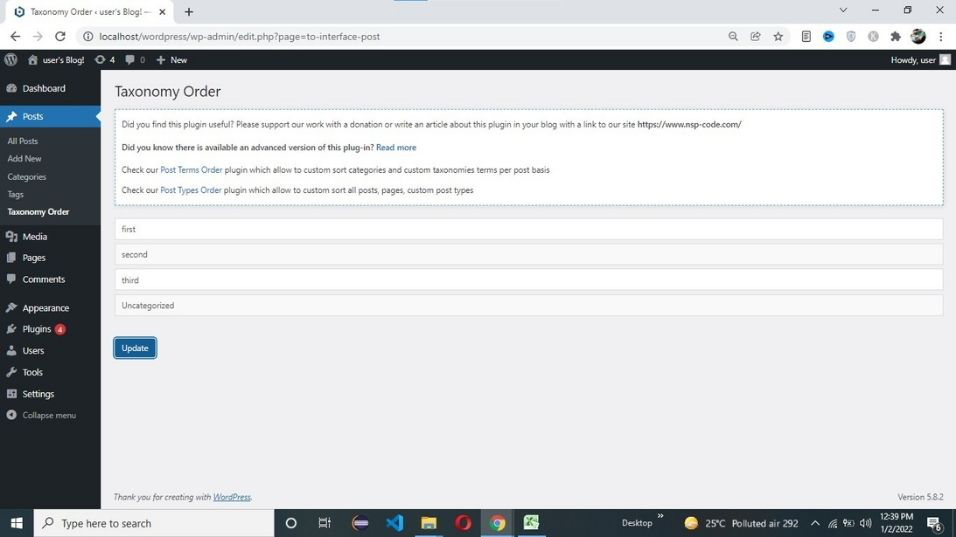
Step 3: After installing the above plugin. Go to Post -> Taxonomy Order.
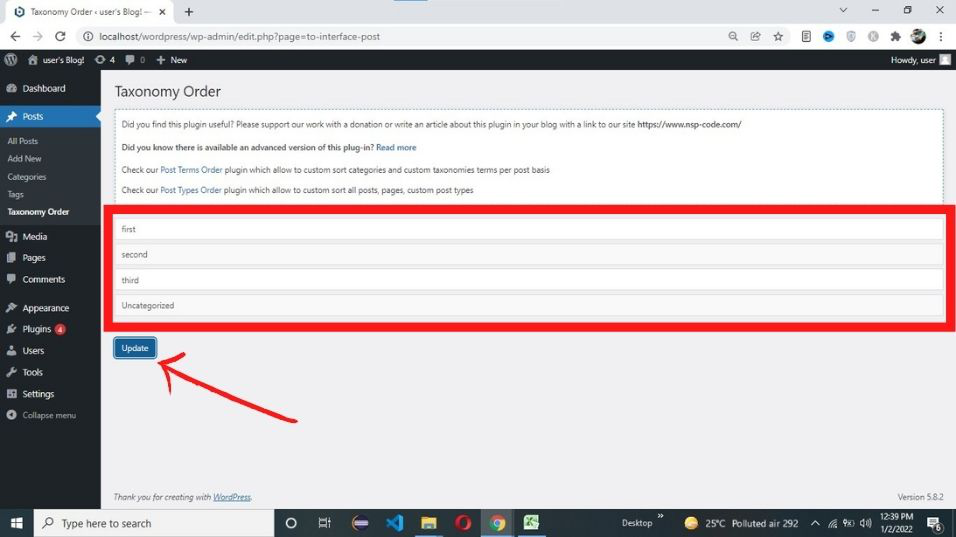
Step 4: Now arrange your category as you want and click on update.
After clicking on the update button your category order is saved.
As you can see we have successfully arranged categories in WordPress.
Work with our skilled WordPress developers to accelerate your project and boost its performance.
3rd Floor, Aval Complex, University Road, above Balaji Super Market, Panchayat Nagar Chowk, Indira Circle, Rajkot, Gujarat 360005.
Abbotsford, BC
15th B Street 103, al Otaiba Dubai DU 00000, United Arab Emirates
3rd Floor, Aval Complex, University Road, above Balaji Super Market, Panchayat Nagar Chowk, Indira Circle, Rajkot, Gujarat 360005.
Abbotsford, BC.
15th B Street 103, al Otaiba Dubai DU 00000, United Arab Emirates.
Copyright © 2026 Niotechone Software Solution Pvt. Ltd. All Rights Reserved.