
The 10 Best Free UX Designer Wireframing Tools in 2026
- Niotechone Marketing Team
Introduction: The Importance of Wireframing to UX Designers
The UX design process relies on wireframing. It enables designers to map out the structure, layout, and functionality of an app or a site without getting into the details of visuals or code. Basically, wireframes serve as the map of web and mobile applications, and they assist teams in visualizing user flows and streamlining user experiences.
Wireframing tools offer a low-risk environment for beginners to experiment with UI concepts. Free wireframing tools are particularly useful since they are less expensive to learn and offer sufficient functionality to undertake serious Mobile Application Development projects. and Custom Software Development workflows.
In 2026, as the demand for user-friendly apps grows, both amateur and professional UX designers require easy-to-use, flexible, and collaborative tools. Software Development Company in India, and .NET Development Company in Rajkot, use free wireframing tools to design app interfaces, optimize workflows, and create prototypes for clients without spending unnecessary software money.
The Future of UX Design in 2026
It is necessary to be aware of the latest trends in UX that shape wireframing in 2026 before delving into the tools:
Artificial Intelligence-based Design Support
Wireframing and design software are becoming more and more integrated with AI. Tools are now able to propose layouts, components, and design patterns based on user behavior and design best practices.
Mobile-First Design
As mobile app usage is taking over the world, mobile-first design is being prioritized by wireframing tools. Responsive layouts and smartphone and tablet interfaces can be easily prototyped and tested by designers.
Cloud-Based Collaboration
Real-time collaboration is no longer a choice. Cloud-based wireframing tools enable various stakeholders such as designers, developers, and product managers to collaborate effectively.
Interactive Prototyping
Wireframes are becoming more interactive prototypes than simple sketches. This enables designers to model user flows and receive feedback at an early stage in Custom Software Development projects.
Accessibility & Inclusive Design
The trends of 2026 emphasize the creation of interfaces that are user-friendly to everyone, including the disabled. Numerous free wireframing tools currently offer built-in accessibility or accessibility-related plugins to support inclusive design.
The 10 Best Free Wireframing Tools for UX Designers
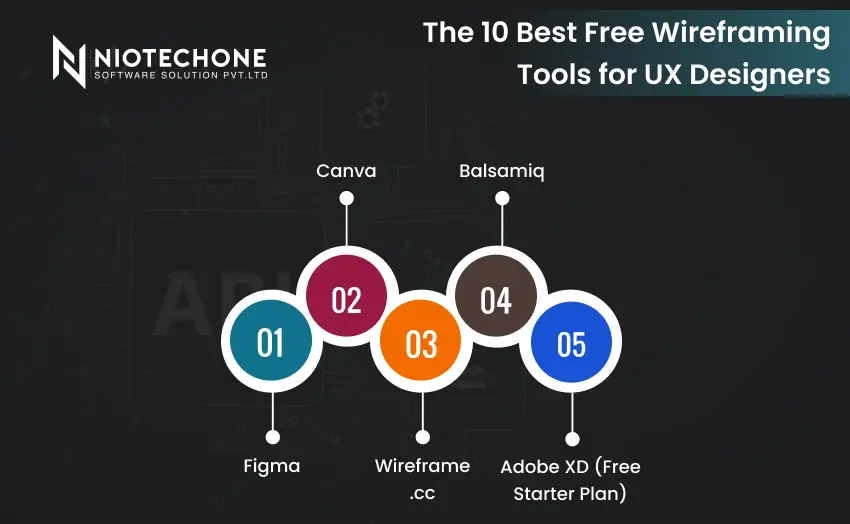
1. Figma
Overview & Key Features:
Figma is a web-based design application that facilitates UI/UX design, prototyping, and collaboration. It enables designers to develop responsive designs, interactive prototypes, and reusable elements.
Pros:
- Team collaboration in real-time.
- Extensive plugin ecosystem
- Mobile and web prototyping
- Cross-platform (Windows, Mac, Browser)
Cons:
- Minor learning curve among absolute beginners.
- Certain advanced features are paid plans.
Best Use Cases:
- Professional web and mobile applications.
- Mobile Application Development projects
- Cooperation between distributed teams.
2. Canva
Overview & Key Features:
Canva is a user-friendly design software that offers drag-and-drop features and ready-made templates to create wireframes and mockups in a short time.
Pros:
- Very simple to learn.
- Large collection of templates and assets.
- Quick export options
Cons:
- Poor prototyping and UI/UX capabilities.
- Not suitable for complex Mobile Application Development projects.
Best Use Cases:
- Marketing mockups
- Basic web and application user interfaces.
- Quick visual concept testing.
3. Wireframe.cc
Overview & Key Features:
Wireframe.cc is a simple web-based application that allows one to create clean wireframes without distractions.
Pros:
- Very simple interface
- Concentrated on form, not fashion.
- Free and lightweight
Cons:
- Limited advanced features
- No interactive prototyping
Best Use Cases:
- Mobile app and web app sketches
- Novices studying the fundamentals of UI design.
4. Balsamiq
Overview & Key Features:
Balsamiq resembles a hand-drawn approach to low-fidelity wireframes, which allows designers to concentrate on layout rather than graphics.
Pros:
- Drag-and-drop interface.
- Good at brainstorming.
- Supports collaboration
Cons:
- Limited interactivity
- The free version is trial-based
Best Use Cases:
- Early web and mobile application planning.
- Novices are trying out the layout and structure.
5. Adobe XD (Free Starter Plan)
Overview & Key Features:
Adobe XD provides wireframing, prototyping, and UI design with a focus on interaction and animation.
Pros:
- Interactive prototyping capabilities.
- Cloud collaboration
- Integration with other Adobe products.
Cons:
- The free plan has limitations
- Higher learning curve among novices.
Best Use Cases:
- Mobile Application Development.
- Web app interactive wireframes.
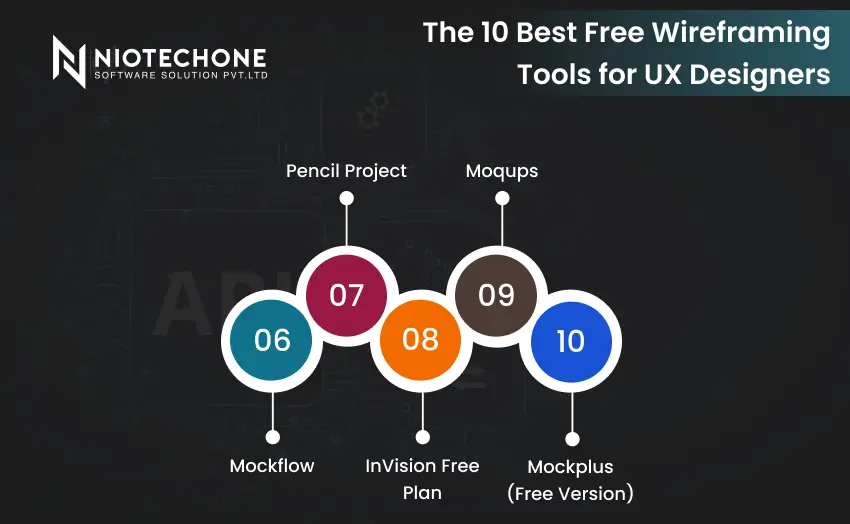
6. Mockflow
Overview & Key Features:
Mockflow is an online web and mobile application for wireframing and prototyping.
Pros:
- Easy collaboration, cloud-based.
- Pre-built UI components
- Free plan available
Cons:
- Restricted templates in the free version.
- Certain premium features are paywalled.
Best Use Cases:
- Introduction to rapid prototyping.
- Teamwork in Custom Software Development.
7. Pencil Project
Overview & Key Features:
Pencil Project is a desktop open-source wireframing tool that supports various platforms.
Pros:
- Free and open-source
- Cross-platform (Windows, Mac, Linux)
- Basic UI components library.
Cons:
- Outdated interface
- No cloud collaboration
Best Use Cases:
- Novices testing UI concepts offline.
- Web and mobile app mockups of low fidelity.
8. InVision Free Plan
Overview & Key Features:
InVision is a prototyping and collaboration software that assists in transforming wireframes into interactive mockups.
Pros:
- Interactive prototypes
- Feedback and cloud collaboration.
- Figma and Sketch integration.
Cons:
- The free plan has limited features.
- Beginner learning curve.
Best Use Cases:
- Professional Mobile Application Development prototypes.
- Teamwork and client meetings.
9. Moqups
Overview & Key Features:
Moqups is a web and mobile project wireframing and prototyping tool.
Pros:
- Easy collaboration, cloud-based.
- Drag-and-drop interface
- Free plan available
Cons:
- The free plan has limited templates and pages.
- Not as developed as Figma or Adobe XD.
Best Use Cases:
- Rapid mobile and web application wireframes.
- Custom Software Development teams.
10. Mockplus (Free Version)
Overview & Key Features:
Mockplus offers rapid wireframing and prototyping using ready-made elements.
Pros:
- Easy drag-and-drop interface.
- Rapid prototyping
- Cloud collaboration
Cons:
- Limited free plan
- Not as customizable as Figma.
Best Use Cases:
- Novices studying wireframing.
- Mobile app interactive prototypes.
Comparison Table of Wireframing Tools
| Tool | Ease of Use | Collaboration | Prototyping Features | Templates & Components | Platform Support |
| Figma | Medium | Excellent | High | Moderate | Web, Windows, Mac |
| Canva | Very Easy | Limited | Low | Extensive | Web, iOS, Android |
| Wireframe.cc | Very Easy | Limited | Low | Minimal | Web |
| Balsamiq | Easy | Good | Low | Moderate | Web, Windows, Mac |
| Adobe XD | Medium | Good | High | Moderate | Web, Windows, Mac |
| Mockflow | Easy | Good | Medium | Moderate | Web |
| Pencil Project | Medium | None | Low | Moderate | Windows, Mac, Linux |
| InVision | Medium | Excellent | High | Moderate | Web |
| Moqups | Easy | Good | Medium | Moderate | Web |
| Mockplus | Easy | Good | Medium | Moderate | Web, Windows, Mac |
Conclusion
Free wireframing tools provide an ideal beginning point of UX designers in 2026. Novices can use basic tools such as Canva, Wireframe.cc, and Pencil Project to understand the fundamentals of UI layout and design. With the development of skills, more sophisticated tools such as Figma, Adobe XD, and InVision enable designers to develop professional interactive prototypes that can be used in Mobile Application Development and enterprise applications.
These tools assist in streamlining collaboration, assisting current UX trends, and offering cost-effective solutions to Software Development Companies in Rajkot, India, and .NET Development Companies in Rajkot, India. The selection of the appropriate mix of free tools enables designers to expand their workflow between simple sketches and sophisticated, professional-level prototypes.
Categories
Related Articles

Related Tags
Frequently Asked Questions FAQs
Yes, numerous free tools offer sufficient functionality to design and prototype. Free plans can be used by beginners and professionals who can upgrade to paid plans to access advanced features.
The simplest to use are Canva and Wireframe.cc because of their drag-and-drop interface and low learning curve.
Absolutely. Mobile-first wireframing and prototyping tools such as Figma, Adobe XD, and Mockplus are suitable to support responsive layouts and interactive testing.
Yes, Figma, InVision, and Adobe XD can be integrated with development platforms and workflows, which is why they can be used in Custom Software Development projects.
Wireframing is layout and structure-oriented, whereas prototyping is interactive and simulates actual user flows. Most of the contemporary tools, such as Figma and Adobe XD, have both features.


