Future of Interactive Frontend Design
- Niotechone Marketing Team
Introduction
The future of frontend design is evolving from the static interface and grid layouts of today. Modern users expect interactions, adaptation, and intelligence. Businesses using a .NET development company in Rajkot, web development company in Rajkot, or a software development company in India need to adopt these to stay competitive.
AI-powered components, immersive UI, and micro-interactions represent changing how we design frontend applications.
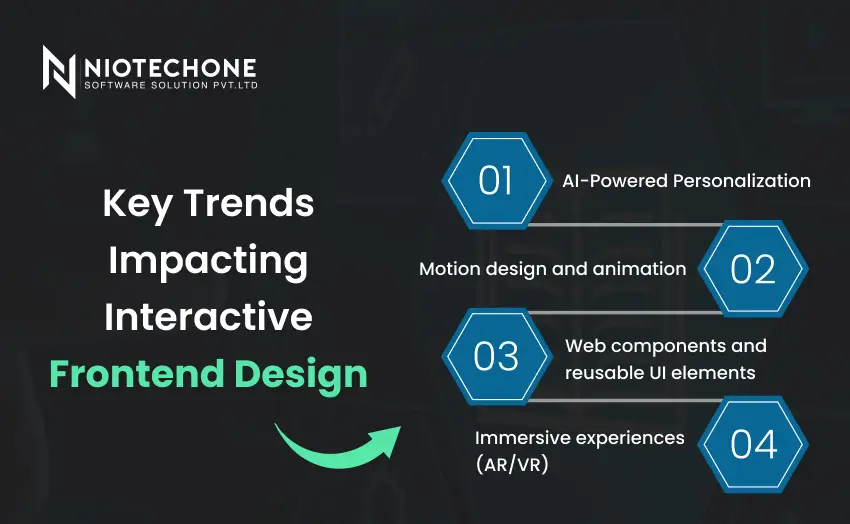
Key Trends Impacting Interactive Frontend Design
Modern applications cannot just be functional, they must be responsive, intuitive, and engaging. Businesses, including .NET development companies in Rajkot and web development companies in Rajkot, are beginning to embrace these trends for better user experiences. Key trends impact interactive frontend design:
1. AI-Powered Personalization
Artificial intelligence disrupts how users interact with applications. By examining user behavior, AI will evolve frontend interfaces and content dynamically, making applications feel even more intuitive.
- Personalized dashboards show relevant data points based on user activity
- Smart recommendations remind users of products, services, or content proactively
- Adaptive navigation rearranges menus, menu items, and options based on usage
2. Motion design and animation
Motion design has evolved from being purely decorative to an important way to communicate hierarchy, flow, and interactivity.
- Animated transitions between pages keep the flow between screens smooth.
- Animations of individual components call out state changes (for example, when a section expands or collapses).
- Effects triggered by scrolling make the content more rich and engaging.
3. Web components and reusable UI elements
Web components provide a way for developers to create UI elements in a fully modular and encapsulated way, without unnecessarily coupling them to a specific framework.
- Web components are reusable UI components across platforms, including subsequent projects of React, Angular, Vue, or .NET Blazor applications.
- Using web components creates uniformity of styling and behavior across a large web project or suite of projects.
- Web components save development time and reduce the need to repeat the same code throughout an application.
4. Immersive experiences (AR/VR)
Augmented reality and virtual reality experiences are beginning to go from niche to mainstream in engagement options for front end experiences.
- Options include virtual product previews for e-commerce applications,
- Interactive dashboards for analytics or other management.
- Remote collaboration applications offering advanced levels of real time engagement.
Tools and Technologies for Interactive Frontend Development
Using these technologies, companies can ensure their applications are responsive, interactive, and ready for the future.
1. Frontend Frameworks
Frameworks provide the structure for building interactive UI components, as well as managing complex logic on the frontend.
- React: Based on components, highly flexible, and the most commonly used framework. Perfect for use in a dynamic dashboard, or an enterprise portal.
- Angular: Provides a complete framework that includes dependency injection and templated views, ideal for larger enterprise applications.
- Vue.js: Lightweight & easy to pick up—great for quick prototyping and interactive interfaces.
2. Animation & Motion Libraries
Animations can improve the user experience by providing feedback or guiding the user through interactions.
- GSAP (GreenSock Animation Platform): Creates high-performance animations to create complex UI effects.
- Framer Motion: I recommend this React library to create seamless transitions and micro-interactions.
- Lottie: Great for incorporating lightweight animations in JSON format in either web or mobile applications.
These libraries allow the custom enterprise mobility software solution to look responsive and engaging.
3. 3D and Immersive Technologies
For advanced visual user interfaces that uses AR/VR or immersive visualizations:
- Three.js: JavaScript library for creating 3D graphics directly in the browser.
- Babylon.js: Full-featured 3D engine for interactive apps and games.
- AR.js: Lightweight approach to AR integration within a web app.
With these tools, enterprise dashboards, e-commerce, and educational apps can help provide the next level of your engagement.
4. Prototyping and Design Tools
Design tools for bridging the gap between UI/UX designers and developers:
- Figma: Look at real-time collaboration tools to use interactive prototypes and design systems.
- Adobe XD: Create high-fidelity interactive mock-ups and animations.
With these tools, Rajkot web development companies can improve the workflow between design and deployment.
Future Trends in Interaction Design
The way users are interacting with applications is evolving rapidly. As technology develops, we are seeing a few emerging trends that are driving the future:
AI and Predictive Interfaces
Artificial Intelligence is changing frontends making them adaptive. Interfaces are able to learn from user behavior, personalize content, and even predict what a user may need next. For instance, dashboards can be responsive to established usage patterns with layout changes, or can dynamically display recommendations.
Voice and Conversational Experiences
Voice-driven commands and chatbots are starting to appear more commonly. Users are beginning to expect their apps to inquire with natural language, provide instant feedback and seamlessly guide them through a task. This trend also improves accessibility and makes the experience more fluid for the end-user.
Low-Code and No-Code Frontends
Low-code platforms allow non-developers to participate in the process of creating interactive UIs. Drag-and-drop builder, prebuilt components and backend integrations allow for rapid prototyping.
Edge Computing and Real-Time Interaction
Utilizing edge computing, processing data near (or closer to) the user reduces latency and improves responsiveness. Real-time dashboards, interactive visualizations and mobile applications benefit significantly.
Micro-Interactions and Motion Design
Although minor animations and feedback loops may appear subtle, they can have a substantial impact. Button hover states, progress indicators, and smooth transitions enable users to understand actions and workflows more intuitively.
Challenges in Interactive Frontend Design
1. Performance Overhead
Including animations, AI-enhanced features, or dynamic pieces can affect application speed in some capacity. Inherently complex user interfaces can make applications slower, especially on less-resourced devices.
- This means it is critical to optimize assets and scripts.
- Lazy load, or code split will ensure interactions can continue to run.
2. Cross-Browser Compatibility
Not all interactive features will run the same in every location or on every device. A user interface that looks great and functions as desired in Chrome may not react the same in Safari or Edge.
- This requires thorough cross-browser testing in order to ensure high functioning stability.
- With this consistent use of frameworks and polyfills will disengage as many inconsistencies as possible.
3. Accessibility Considerations
Interactive UIs need to remain usable for all users, including users who will rely on some sort of assistive technology.
- Make sure to leverage ARIA labels with semantic HTML.
- Provide support for keyboard navigation and screen readers.
- Take time to test interactions with real users for accessibility gaps.
4. Security Risk
User interactive and dynamic UIs inherently have security risks.
- Proactively using secure code, like HTTPS, will validate data.
- Take into consideration input methods from users, especially in areas where sensitive information will be entered.
Conclusion
The future of front-end design is interactive, adaptive, and intelligent. Businesses who partner with .NET development companies in Rajkot, web development companies in Rajkot, or any custom software development in India, must embrace these trends to remain competitive. With features such as AI-powered personalization, micro-interactions, motion design, Web Components, PWAs, AR/VR, and edge computing, all businesses can build apps that are functional, engaging, fast, and user-focused.
Interactive front-end design is no longer merely a visual enhancement; it is becoming a competitive advantage. Applications that respond to user behavior, provide real-time feedback, and help create immersive experiences, will lead to higher user engagement, better retention, and organic growth for your business.
Categories
Related Articles


Frequently Asked Questions FAQs
An interactive frontend concept refers to how user interfaces are designed to be dynamic, interactive, and adaptive according to user actions in real-time. Above and beyond 'static' layouts, a frontend interactive concept can enable an experience that is personalized and intuitive.
AI can provide personalized experiences, suggest predictive content, and adapt layouts based on user preferences and behaviors. A dashboard can alter its placement of sections based on user actions, or dynamic recommendations can appear based on user action. Businesses that utilize AI in their software development in Rajkot will have a major advantage in the engagement around their interfaces.
Yes, For .NET Core applications, frontends can be made dynamic, scalable, and adaptive based on using Blazor, React, Angular, or Vue. This is advantageous for custom enterprise mobility software solutions and travel portal software in Rajkot.
Some common challenges include performance overhead, cross-browser compatibility, accessibility considerations, and security.
Micro-interactions are used to signify user action and provide details for feedback and advice. Small animations, hover animation, or progress integrations improve the application experience making self-use more intuitive, engaging, and user-driven.