
Grammarly: AI Writing Assistant Changing How We Write
- Niotechone Marketing Team
Introduction
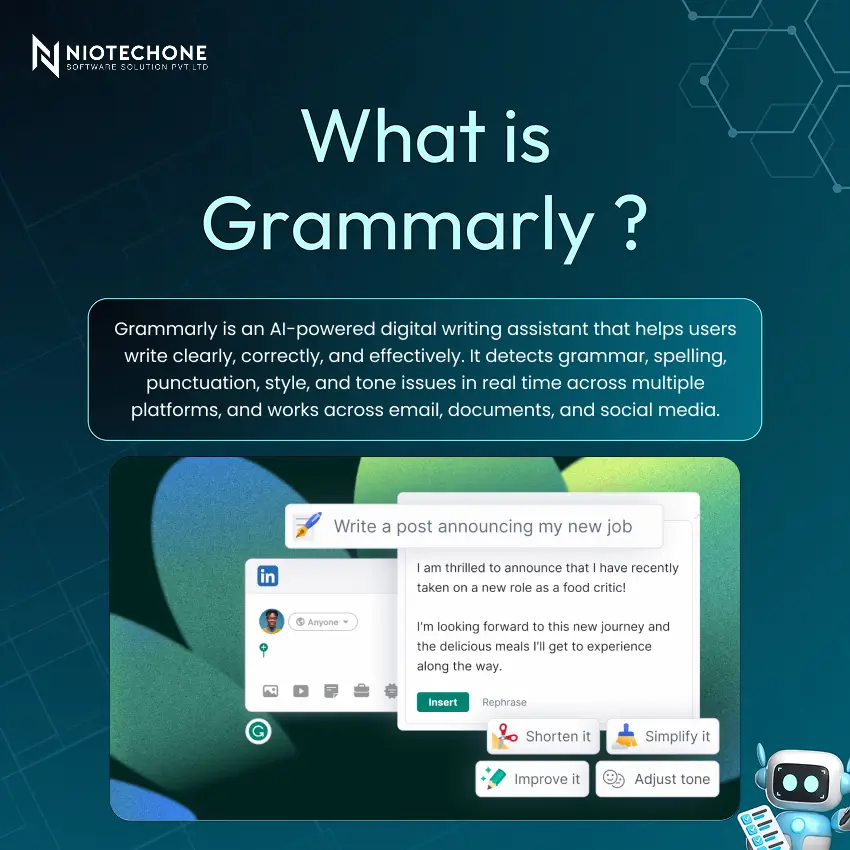
In a world where professional and clear communication can make or break opportunities, a reliable writing assistant is no longer a luxury but a necessity. Grammarly is a widely used AI-powered writing tool in the world, trusted by students, professionals, and businesses alike to enhance the quality, clarity, and accuracy of their writing.
How Grammarly Works: The AI and Technology Behind It
Grammarly is developed on a complex stack of AI technologies:
- NLP Engine: Natural Language Processing detects grammar and syntax mistakes in context.
- ML Models: Deep learning models trained on billions of sentences achieve high accuracy.
- Tone Analysis: Sentiment analysis detects emotional tone and communication intent.
- Plagiarism AI: Matches text with 16+ billion web pages to detect plagiarism.
- Real-time API: Browser and app integrations drive suggestions with milliseconds of latency.
- Cloud Sync: All recommendations are computed in the cloud and synchronized to all devices.
Key Features of Grammarly
Grammarly combines six fundamental features into a single smooth platform:
1) Grammar and Spelling – Automatically detects and corrects 400+ types of grammar, punctuation, and spelling errors.
2) Tone Detection – Analyzes the tone of writing – confident, friendly, formal – and recommends improvements.
3) Plagiarism Checker – Compares text with billions of web pages to verify originality.
4) Clarity and Concise – Recognizes wordy or unclear sentences and suggests cleaner alternatives.
5) GrammarlyGO (Generative AI) – Drafts, rewrites, replies, and ideates directly in your workflow.
6) Cross-Platform Support – Supports browser extensions, desktop applications, MS Office, Google Docs, and mobile keyboards.
Grammar, Spelling, and Punctuation Checking
The engine of Grammarly includes 400+ grammar rules with 98%+ accuracy. It identifies such errors as subject-verb agreement, incorrect or missing articles, misused commas and apostrophes, wrong verb tenses, misspelling, and homophones, run-on sentences, and overuse of the passive voice.
Example:
- Before: “She don’t know nothing about the project.”
- After: “She doesn’t know anything about the project.”
Free vs Premium: What's the Difference?
Feature | Free | Premium |
Grammar and Spelling Checks | Yes | Yes |
Punctuation Corrections | Yes | Yes |
Tone Detection | Basic | Full (20+ tones) |
Clarity Suggestions | Limited | Full |
Vocabulary Enhancement | No | Yes |
Plagiarism Checker | No | Yes |
Full-Sentence Rewrites | No | Yes |
GrammarlyGO (Generative AI) | Limited | Advanced |
Style and Formality Guide | No | Yes |
Benefits of Using Grammarly
- Enhances the quality of writing – Identifies mistakes that humans tend to overlook, leading to quality and professional writing.
- Saves Time – Automated proofreading speeds up editing and revision workflows significantly.
- Develops Writing Skills – Each suggestion has an explanation that helps users learn and prevent future errors.
- Works Everywhere – Consistent experience across browsers, apps, email, and documents.
- Guarantees Originality – Plagiarism detection ensures academic and professional integrity.
- Increases Confidence – Writers are more confident when they know that their work is free of errors before they submit their work.
Limitations of Grammarly
There is no tool that does not have its disadvantages. The following are the main limitations that should be considered:
- Context and Nuance Errors – May misunderstand technical, legal, or creative writing that is not intended to be understood in technical, legal, or creative terms.
- Over-reliance Risk – Users can become addicted and stop developing their own grammar skills.
- Internet Required – The majority of the features will need an active internet connection; offline support is extremely limited.
- Privacy Concerns — Text is stored on the servers of Grammarly, which can be a privacy risk to sensitive documents.
- Premium Cost — Advanced features are available on a paid subscription (~$12/month), which can be expensive for students.
- Language Support – It is mainly optimized to English; other languages are not well supported.
Real-World Examples
Example 1 — Grammar Correction:
- Before: “Me and him went to school together.”
- After: “He and I went to school together.”
Example 2 — Tone and Clarity (Cover Letter):
- Before: “Hey, so I seen your job post and thought maybe I should apply…”
- After: “Dear Hiring Manager, I recently came across your job posting and would like to express my strong interest in the position…”
Conclusion
Grammarly is an effective AI writing assistant that is trusted by 30 million+ daily users worldwide. Its AI and NLP technology is constantly enhancing accuracy and writing recommendations. Moving forward, the future is in further AI writing integration, such as real-time ghostwriting and complete document generation. Such tools as GrammarlyGO already indicate a transition to generative AI as a co-writer, not a checker.
Categories
Related Articles
Related Tags
Frequently Asked Questions FAQs
Grammarly is an AI-powered writing assistant that checks grammar, spelling, punctuation, tone, clarity, and plagiarism in real time. It works across browsers, apps, email clients, and document editors.
Yes, Grammarly has a free version that covers basic grammar and spelling checks. Advanced features like the plagiarism checker, full tone detection, vocabulary enhancement, and GrammarlyGO require a Premium subscription.
Grammarly covers 400+ grammar rules and claims 98%+ accuracy. However, it may occasionally misinterpret context in highly technical, legal, or creative writing.
Grammarly is primarily optimized for English. Its support for other languages is currently limited or unavailable, making it less effective for non-English writers.
GrammarlyGO is Grammarly's generative AI feature that can draft, rewrite, reply, and ideate content directly within your workflow — going beyond error correction to become a full writing co-pilot.










