Deleting pages in WordPress is a common task that website designers and administrators perform to keep their websites clean and up-to-date. Whether you need to remove outdated content, reduce clutter, or simply reorganize your pages, knowing how to delete pages in WordPress efficiently is essential. In this article, we will guide you through the steps to delete pages in WordPress.
Before diving into the steps, let’s explore a few reasons why you might want to delete pages from your WordPress website:
- Outdated Content: Old pages that no longer serve any purpose or contain outdated information can confuse visitors and affect your site’s credibility.
- Duplicate Content: Duplicate pages can harm your SEO efforts by causing content cannibalization, where multiple pages compete for the same keywords.
- Site Reorganization: As your website grows, you may need to delete certain pages to streamline navigation and improve user experience.
- Error or Irrelevant Pages: Sometimes, pages are created by mistake or become irrelevant over time. Deleting these pages can help maintain a professional appearance.
Step 1: Log in to Your WordPress Dashboard
To access the WordPress login panel, simply add “/wp-login.php” at the end of your website URL and enter your username and passwordto log in to the WordPress Dashboard.
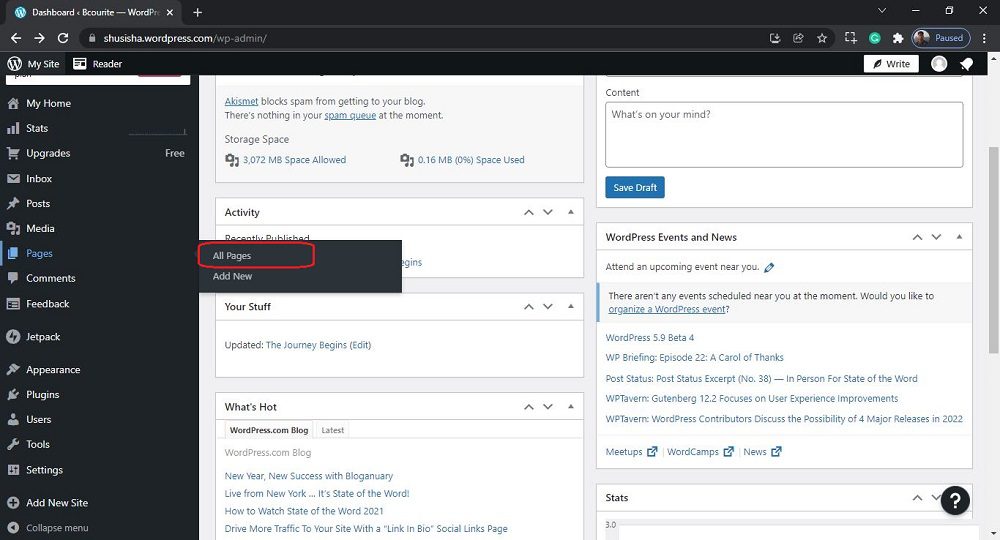
After login into WordPress, you will be able to see a dashboard like this:
Step 2: Navigate to the Pages Section
Once you’re logged in, navigate to the Pages section. You can find this in the left-hand menu of your dashboard. Click on “Pages” to see a list of all the pages on your website.
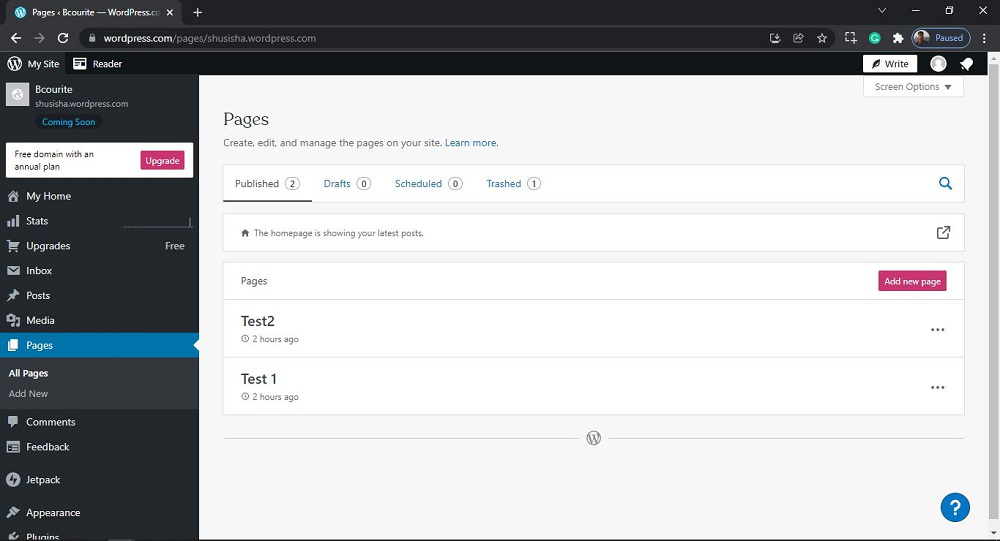
After clicking on All Pages, you will see a similar Page like this:
Step 3: Select the Page You Want to Delete
In the Pages section, find the page you want to delete. You can use the search bar at the top right to quickly locate the page by its title. Once you’ve found the page, hover over its title to reveal several options.
Step 4: Move the Page to Trash
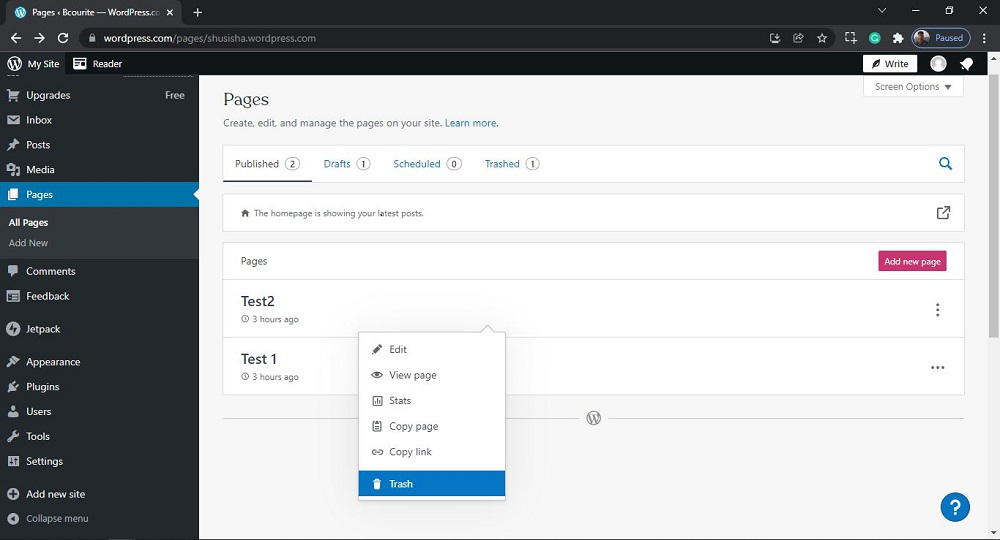
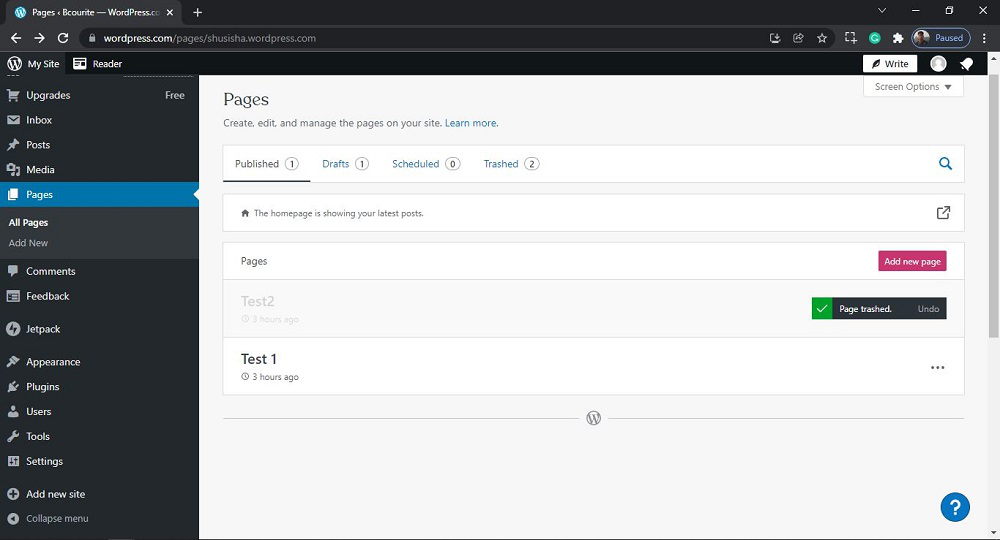
Hovering over the page title will display a few options, including “Edit,” “Quick Edit,” “Trash,” and “View.” Click on “Trash” to move the page to the trash bin. This action will not permanently delete the page but will remove it from your active pages list.
That’s it, you have now successfully learned how to delete the pages from your WordPress website.
Deleting pages in WordPress is a simple yet important task for maintaining a wellorganized and SEO-friendly website. By following the steps outlined in this guide, you can easily remove unwanted pages and improve your site’s overall performance. Remember to set up redirects for deleted pages and regularly review your content to keep your website up-to-date and relevant